
💬 Custom WhatsApp Sender – Stay Connected with Your Customers Effortlessly
Communication is key in the printing business — and WhatsApp is where most customers expect fast responses.
With the Custom WhatsApp Sender feature, you can send order updates, quotations, and notifications directly from your own WhatsApp number instead of the default system sender.
This not only makes your messages feel more personal and trustworthy, but also helps you manage all customer conversations in one place.
✨ What You Can Do
- Send order confirmations, payment reminders, or status updates using your own WhatsApp number.
- Maintain direct conversations with customers without switching platforms.
- Strengthen your brand’s identity with personalized communication.
Prerequisites:
- An existing WhatsApp account (must be more than 3 days old)
- Active Wablas subscription
Step 1: Initial Registration
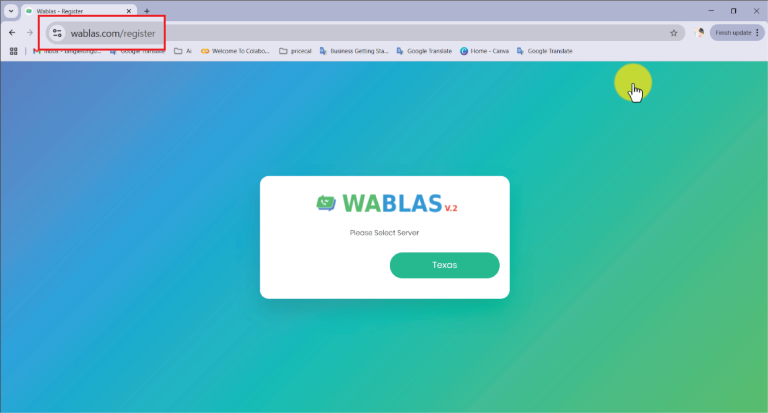
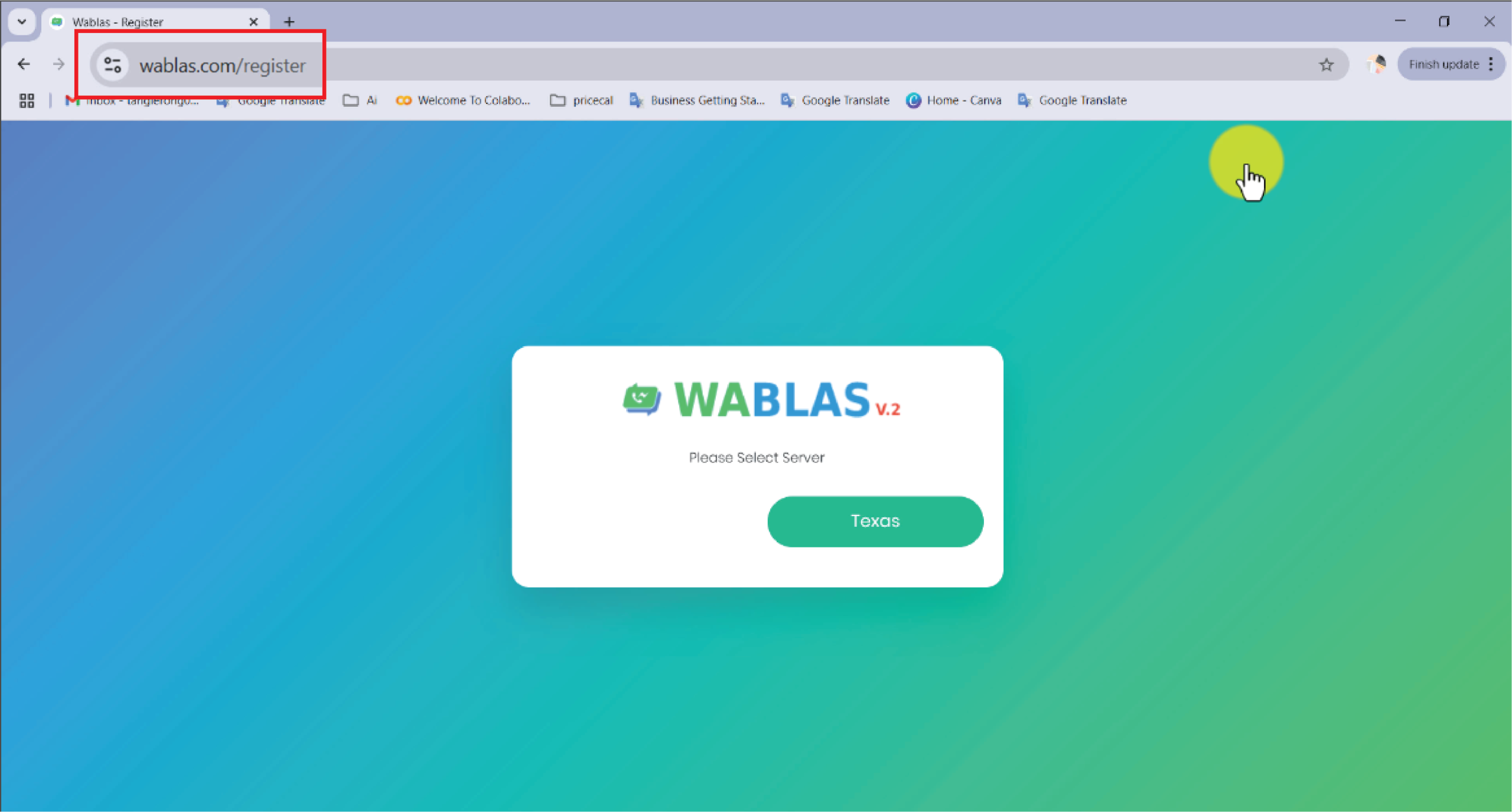
- Visit https://wablas.com/register and select your preferred server
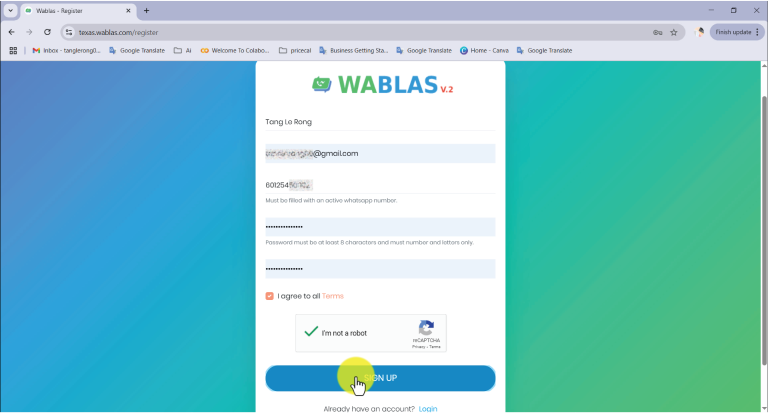
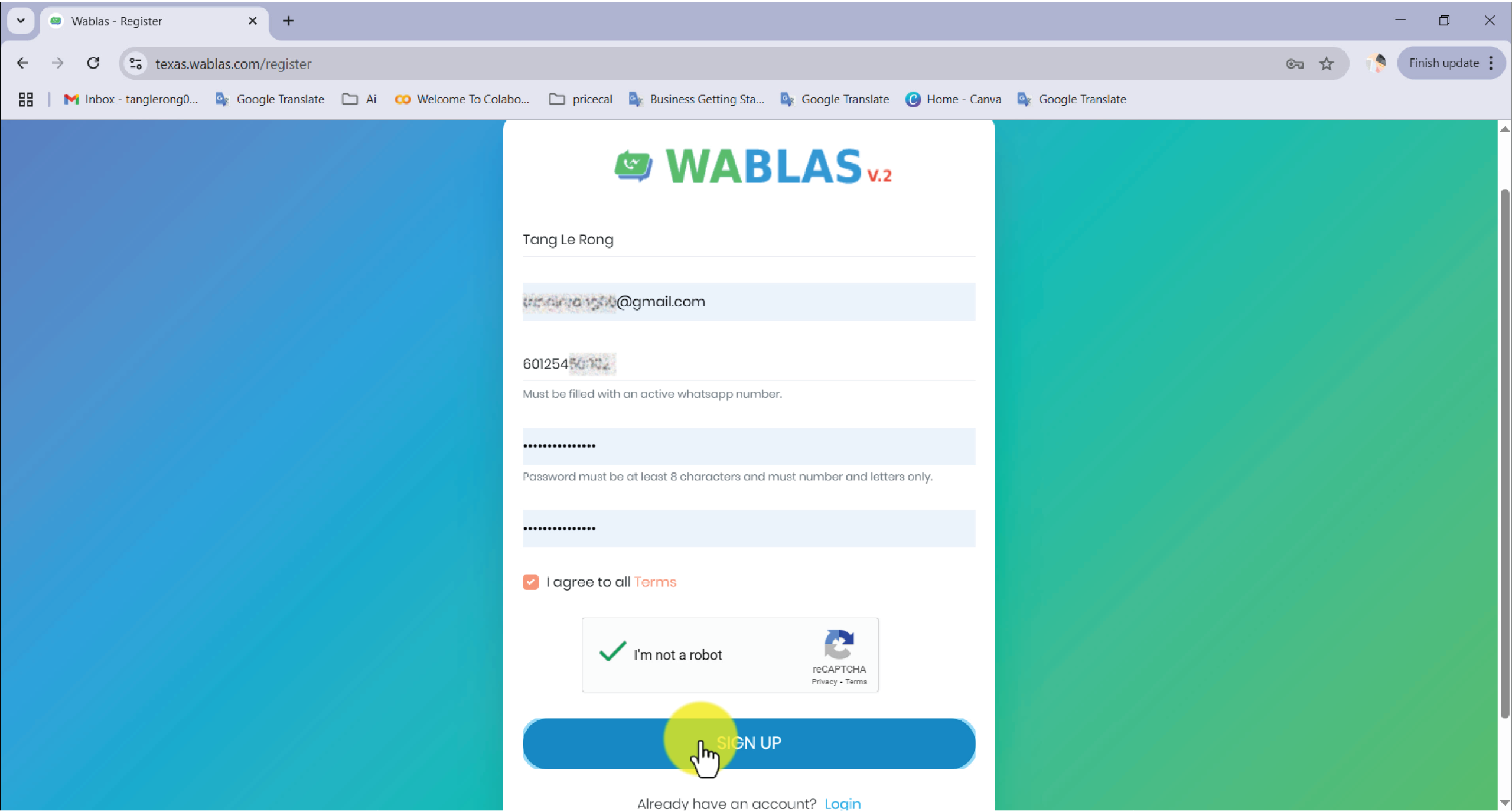
- Complete the registration form and click “Sign Up”
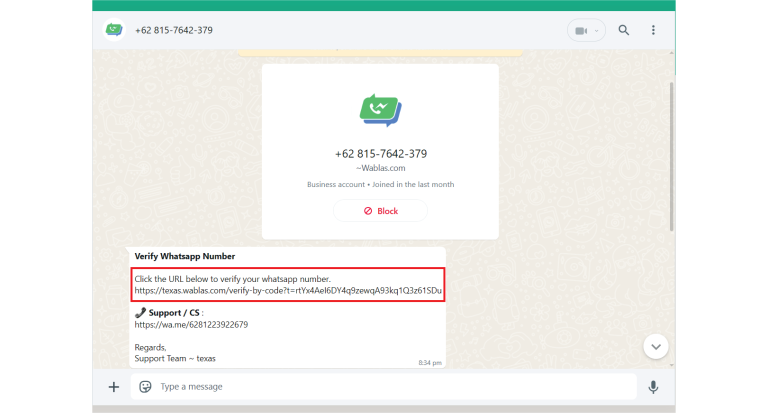
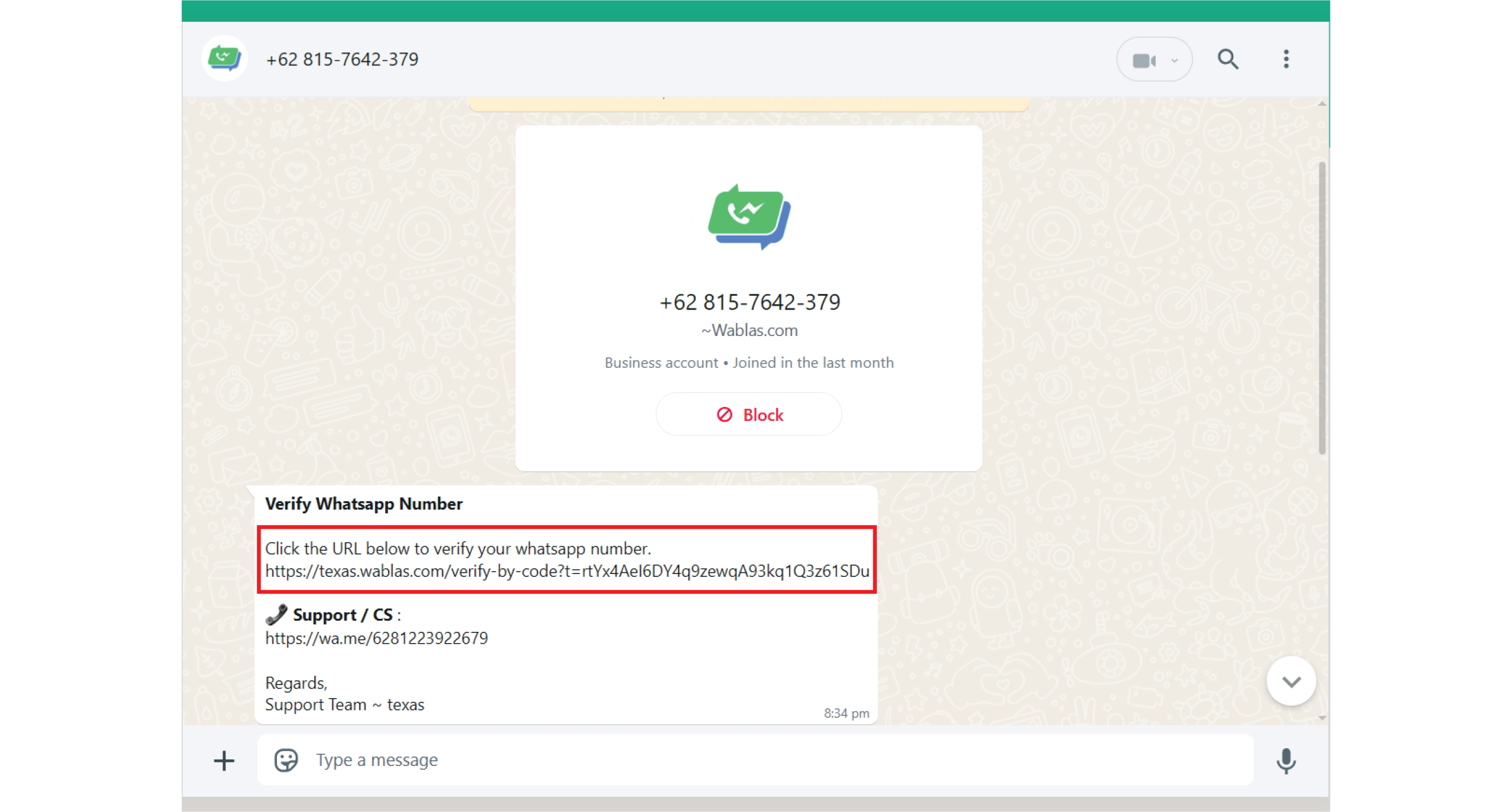
- Verify your phone number
- Upon verification, you’ll be directed to your console
- Note: A 7-day free trial with 100 messages will begin automatically
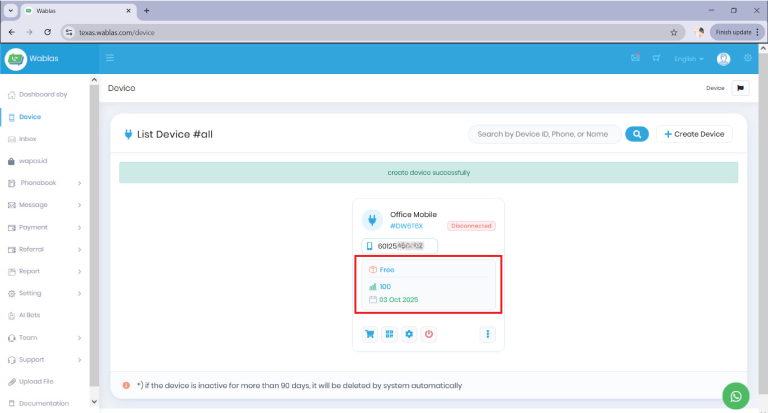
- Note: A 7-day free trial with 100 messages will begin automatically
Step 2: Device Setup
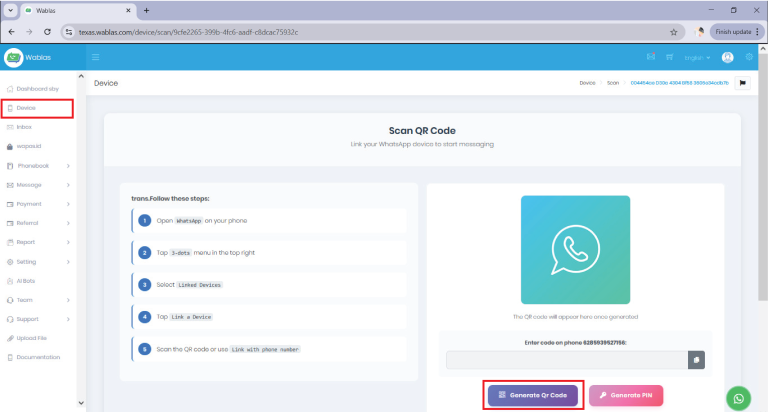
- Navigate to the Device page
- Click “QR Code” to link your WhatsApp number
- After scanning the QR code:
- Return to the Device page
- Wait for 1 minute
- Refresh the page
- Verify that the status shows “Connected”
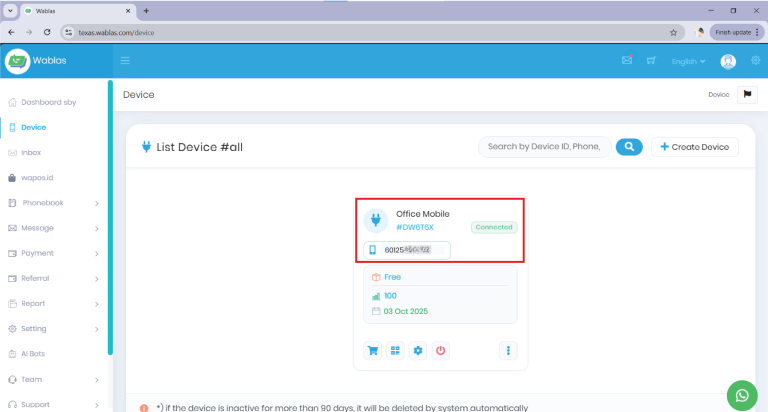
Step 3: API Configuration for PriceCal
- Go to Settings in your PriceCal Dashboard
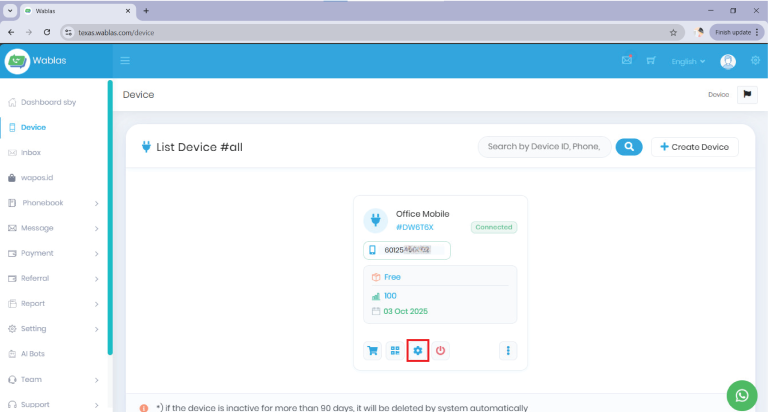
- Locate and copy the following information:
- Domain / Base URL
- API Keys / Token
- Secret Key
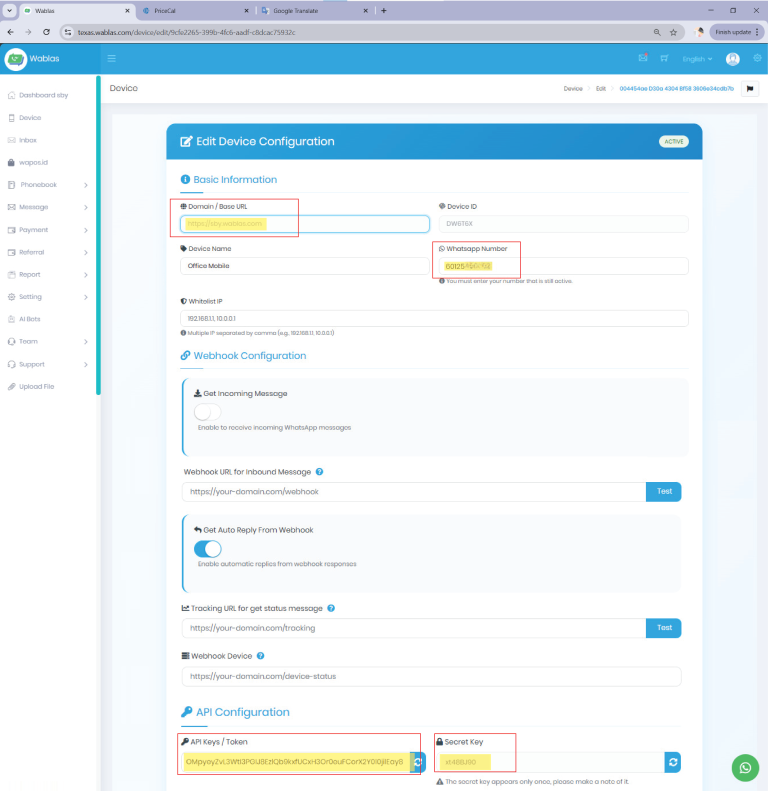
- Go to User Profile and enter these details in PriceCal
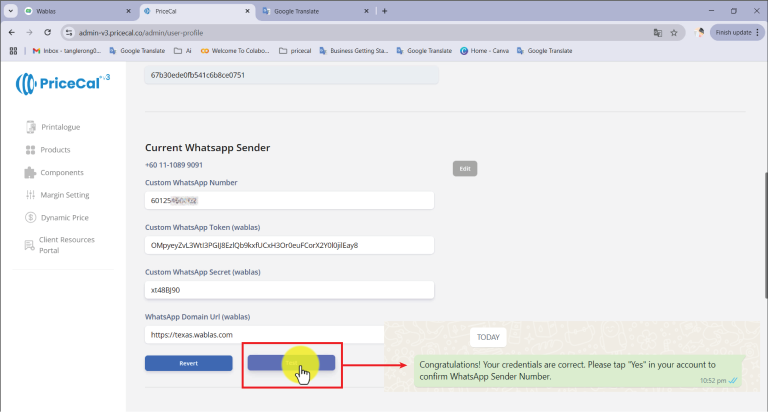
- Run a test to confirm the connection
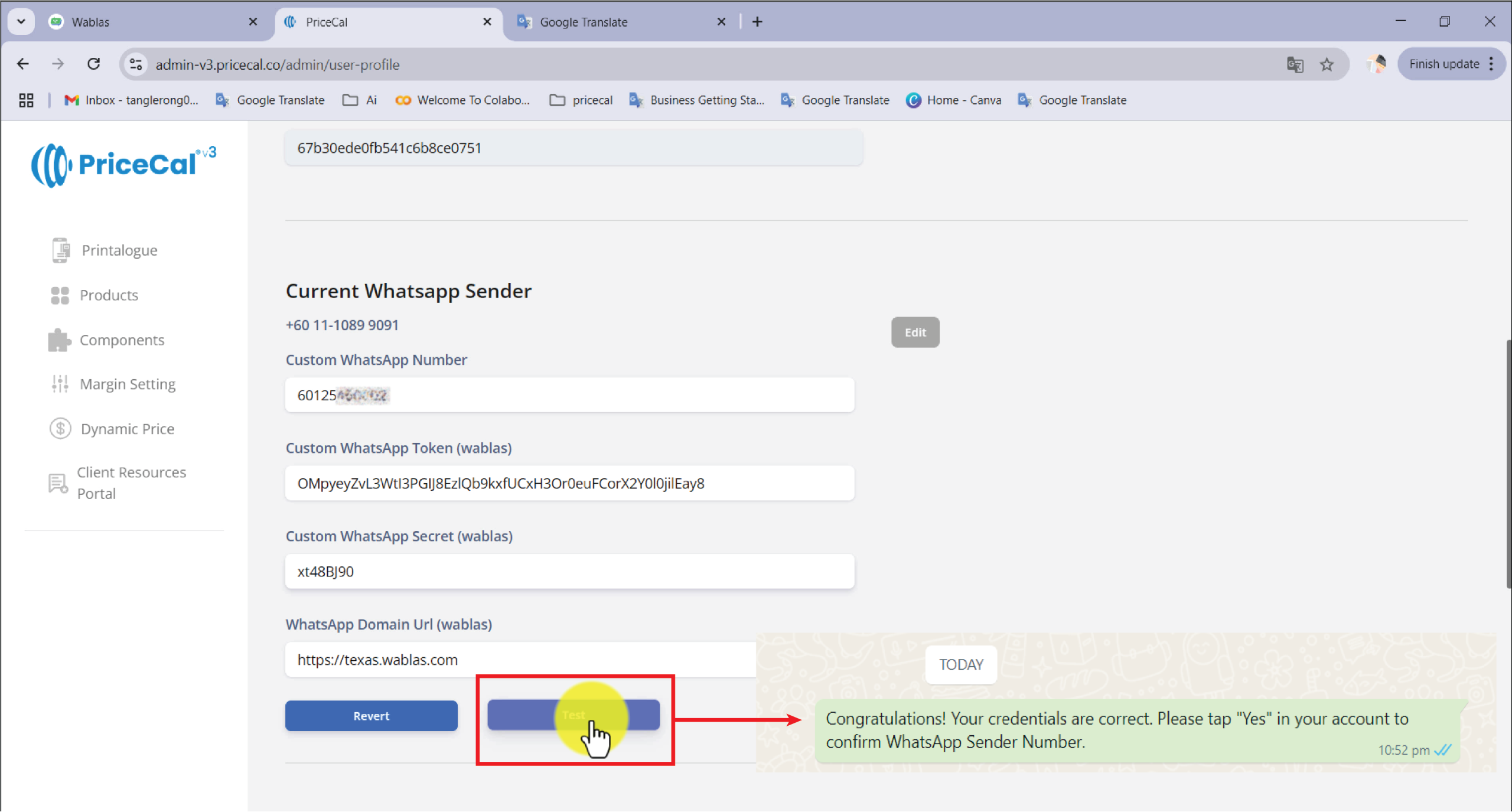
Step 4: Wablas Subscription (Required if you want to continue after trial)
- Log in to your Wablas account
-
Navigate to Payment > Subscription > Renew
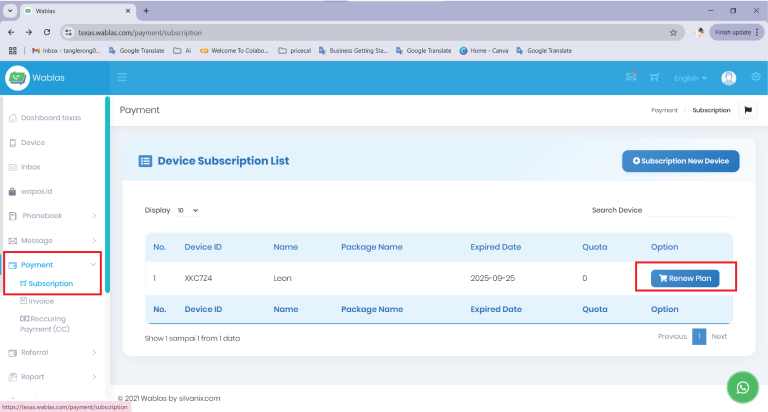
- Choose your preferred plan (any plan will do)
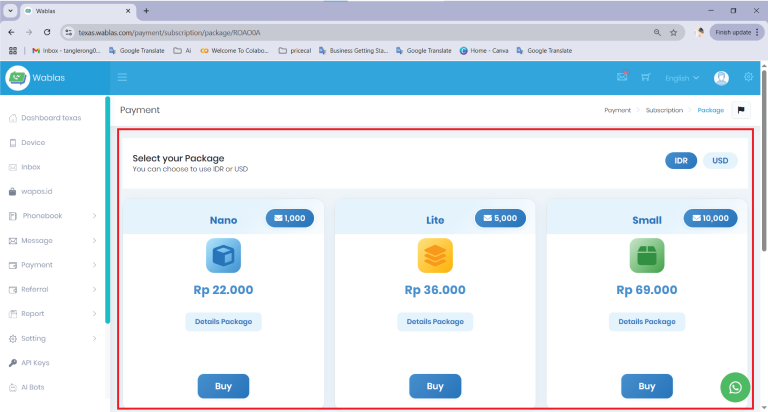
- Complete the payment process
Important Notes:
- A Wablas subscription is mandatory for continued service
- Without an active subscription, the WhatsApp function in Printalogue will not work.
- You’ll need to revert to System WhatsApp Sender manually if service is interrupted
Need Help?
For subscription assistance, contact Wablas Support directly.