PriceCal Tutorial

Whether you're setting up your first product or fine-tuning complex pricing rules, these tutorials will help you get the most out of PriceCal. Follow along step-by-step to automate your pricing, reduce manual work, and set up your branded storefront. No technical skills needed – our presets and guides make setup straightforward. Pick a tutorial below and start streamlining your quoting process today.

Tutorial Categories

Using the “Enquire Now” feature

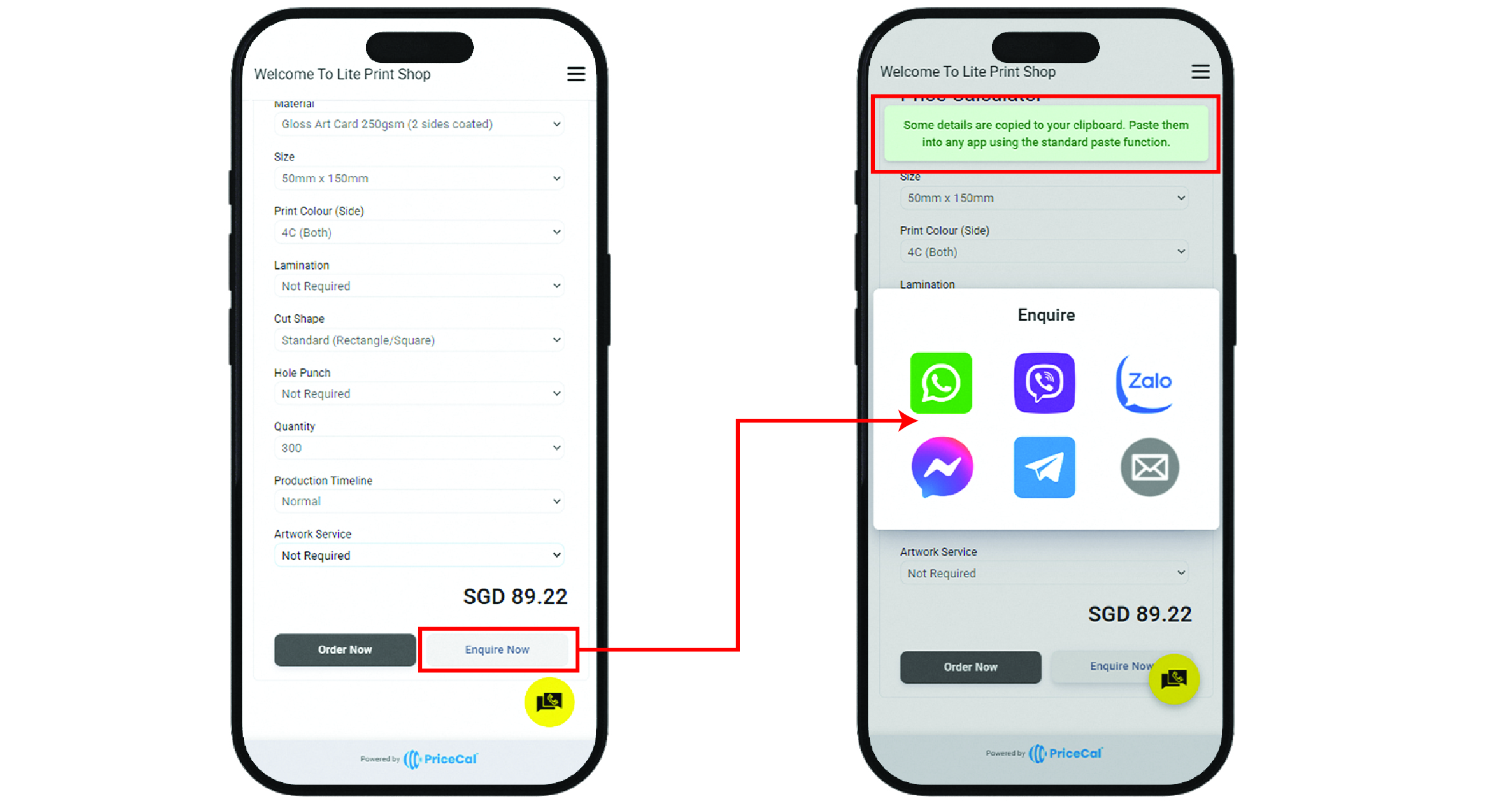
The “Enquire Now” feature found in the product page makes it easy for customers to ask questions about specific products, printing specifications, or prices—right from the product page. This streamlines communication and ensures you receive all the details you need to assist your customers quickly.


How It Works

When customers are checking prices or browsing products, they can simply click the “Enquire Now” button. They’ll then be prompted to select their preferred communication channel (such as WhatsApp, email, or Messenger) to contact your print shop.


What Happens Next

The system automatically copies the product link, selected printing specifications, and the price chosen by the customer.

The customer only needs to:

  1. Select the communication channel they wish to use.
  2. Paste the copied information into the chat or message window.
  3. Send the inquiry to your shop.

Customer Experience

This feature saves time and reduces confusion, as all the relevant product details are included in the inquiry. Customers can reach out with just a few clicks, and you receive all the information needed to provide fast, accurate support.

When checking prices, customers can also click “Enquire Now” and select the usual channel to contact you.

©2025 PriceCal.co

API

SC-Sheet calculates printing costs by determining the number of large sheets required based on material, size, printing method, and quantity.

For example, if a customer orders 1,000 business cards (89mm x 54mm), SC-Sheet calculates how many fit on a standard sheet, the total sheets needed, and the printing cost. Additional finishing like lamination or diecut is factored in separately, ensuring precise pricing while optimizing material usage and profitability.

What products are best suited for API?

Click on the products below to see API in action!

SC-Sheet

SC-Sheet calculates printing costs by determining the number of large sheets required based on material, size, printing method, and quantity.

For example, if a customer orders 1,000 business cards (89mm x 54mm), SC-Sheet calculates how many fit on a standard sheet, the total sheets needed, and the printing cost. Additional finishing like lamination or diecut is factored in separately, ensuring precise pricing while optimizing material usage and profitability.

What products are best suited for SC-Sheet?

Click on the products below to see SC-Sheet in action!

CSV

CSV is the most flexible way to manage and price products with fixed options or variations that don’t require dynamic calculations. Ideal for products with pre-set combinations of attributes like size, material, finish, and quantity, CSV enables
printers to create custom pricing tables in Excel (CSV format). Once the table is computed, simply upload it into PriceCal, and our Price Calculator will convert it into a systematic selection, generating the price based on the chosen options.

For instance, when calculating the price for a roll-up standee, printers can set up variables like type (e.g., Standard, Deluxe), size (Small, Medium, Large), print method (Digital, Offset), and quantity (e.g., 1, 5, 10). These variables are then organized in a CSV file, and upon upload, the system will automatically generate the correct pricing based on the selected options.

What products are best suited for CSV?

Click on the products below to see CSV in action!

  • Banners (Size, Material, Print Method, Quantity)
  • Packaging Boxes (Type, Size, Printing Method, Finishing)
  • Signage (Material, Size, Print Method, Quantity)
  • Stationery (Size, Material, Print Method, Quantity)
  • Promotional Products (Type, Design, Print Location, Quantity)

SC-Packaging

SC-Packaging is designed to handle pricing for packaging products such as boxes and cartons by calculating costs based on material, size, and finishing components. Through our strategic partnership with Pacdora, printers gain access
to a wide variety of box models, including double tuck boxes, auto-lock boxes, mailer boxes, and more.

This tool works similarly to SC-Sheet by calculating the open size of the selected box model and using the input dimensions to determine material usage, printing costs, and additional finishing. Components like gluing, die-cutting, and assembly costs can be seamlessly factored into the pricing

For example, if a customer orders 2,000 auto-lock boxes measuring 200mm x 150mm x 100mm, SC-Packaging will generate the total material required based on the box’s flat layout, calculate the printing and die-cutting costs, and include any finishing or assembly charges.

Exciting Benefits from Our Pacdora Partnership

Thanks to this collaboration, printers can now:

✅ Retrieve dielines instantly upon customer order.

✅ Offer customers access to Pacdora’s design studio to create and edit packaging
artwork effortlessly.

What products are best suited for SC-Packaging?

Click on the products below to see SC-Packaging in action!

SC-Item

SC-Item is designed for pricing single-item print customization, making it ideal for products like apparel, drinkware, and promotional merchandise. Unlike other pricing tools, SC-Item allows for flexible order quantities across different variations, such as sizes, colors, and print locations.

For example, in t-shirt printing, customers can choose to print on the front, back, or sleeves and place an order with specific quantity breakdowns—20 Large, 10 Small, 15 Medium, etc. SC-Item calculates the cost based on the print locations, total quantity, and any additional customization options like embroidery, heat transfer, or DTF printing.

What products are best suited for SC-Item?

Click on the products below to see SC-Item in action!

SC-Booklet

SC-Booklet is designed to generate precise pricing for multi-page products like booklets, catalogs, and magazines by calculating the material cost, printing method, and binding requirements. It determines the number of sheets required to fulfill an order based on the total number of pages, paper type, and sheet size. Additionally, SC-Booklet supports various binding methods, including saddle stitching and perfect binding, ensuring flexibility in product customization.

For example, if a customer orders 500 copies of a 32-page booklet, SC-Booklet calculates the number of large sheets needed based on the imposition layout. If the inner pages are printed on 150gsm matte paper and the cover on 300gsm glossy
paper, it determines how many sheets of each material are required and factors in the printing and finishing costs accordingly. The system also accommodates add-ons like spot UV, lamination, and special finishes.

What products are best suited for SC-Booklet?

Click on the products below to see SC-Booklet in action!

  • Corporate brochures
  • Annual reports
  • Event programs
  • Product catalogs
  • Training manuals
  • Magazines
  • Cookbooks
  • Portfolios
  • School yearbooks
  • Art books

SC-Area

SC-Area calculates printing costs based on the total print area (sq ft). When a user enters the length and width of the final print, SC-Area determines the total printable area and generates the cost accordingly. It also factors in additional finishing based on the perimeter, making it ideal for products that require eyelets, frames, or poles.

For example, if a customer orders a banner measuring 10ft x 3ft, SC-Area will calculate the total print area (30 sq ft) and generate the cost. If finishing options like eyelets every 2ft or a poles are added, SC-Area factors in these costs based on the perimeter. This tool is perfect for large-format prints such as banners, buntings, billboards, and signage, ensuring accurate pricing and seamless cost calculation.

What products are best suited for SC-Area?

Click on the products below to see SC-Area in action!

  • Magnetic signs
  • Metal / Aluminum signs
  • Die-cut stickers (large format)
  • PVC boards (Forex board prints)
  • Corflute / Corrugated plastic signs
  • Canvas prints
  • Tension fabric displays
  • Construction site signage
  • Directional & wayfinding signs
  • Table covers & table runners
  • Street pole banners
  • Retail window clings
  • Estate agent boards
  • Event standees & cutouts
  • Door signs & nameplates

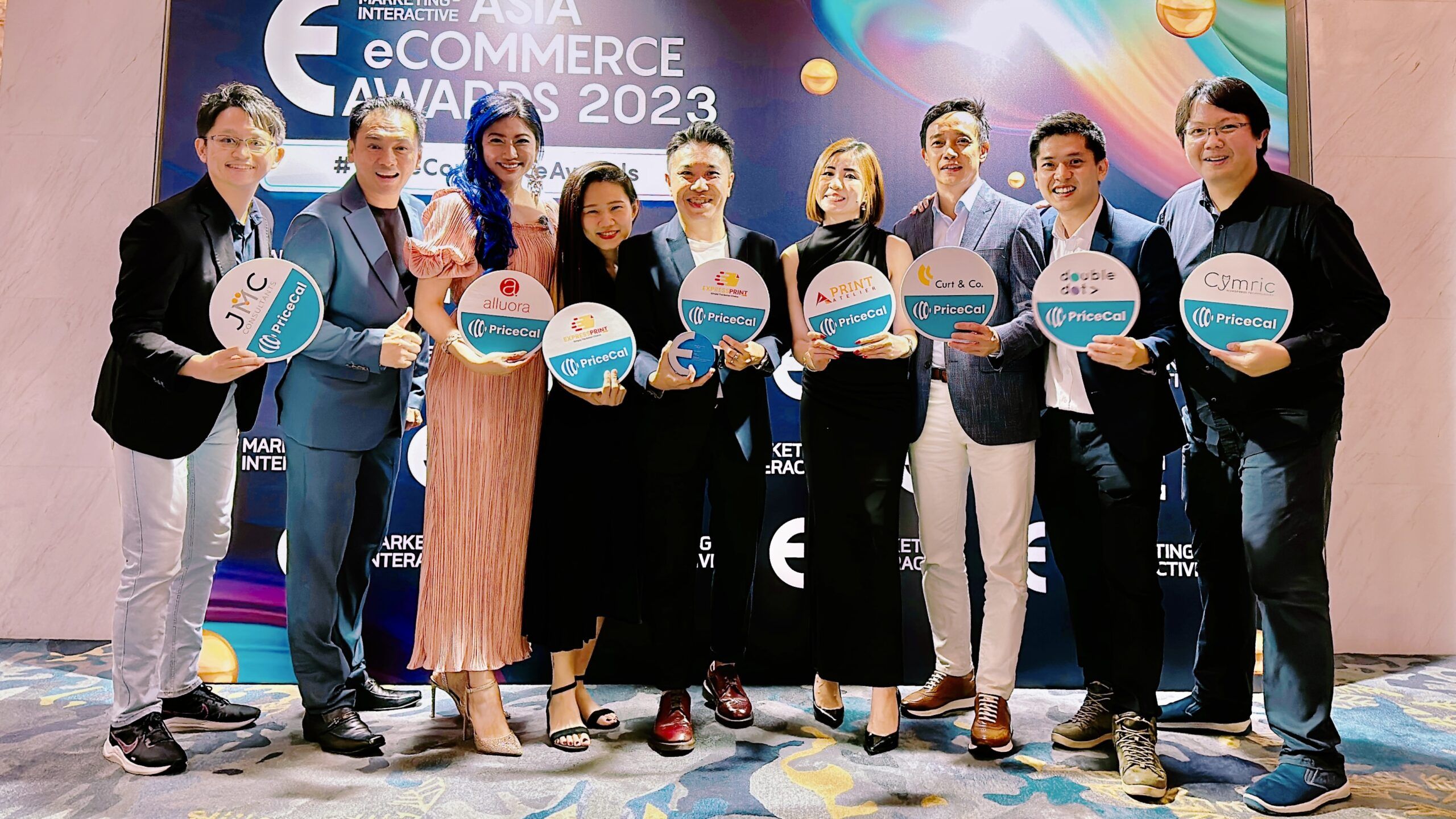
PriceCal bags Best eCommerce Fulfilment Award 2023

PriceCal, conceptualized and brought to life by Welson and his dynamic team, emerged from a vision to revolutionize the print industry's approach to online sales....