
The User Profile section allows you to manage your account details, subscription, system usage, and feature permissions.
This tutorial walks you through each section so you can fully understand and configure your profile correctly.
Step 1: Navigate to User Profile
- Click “Settings”
- Select “User Profile”
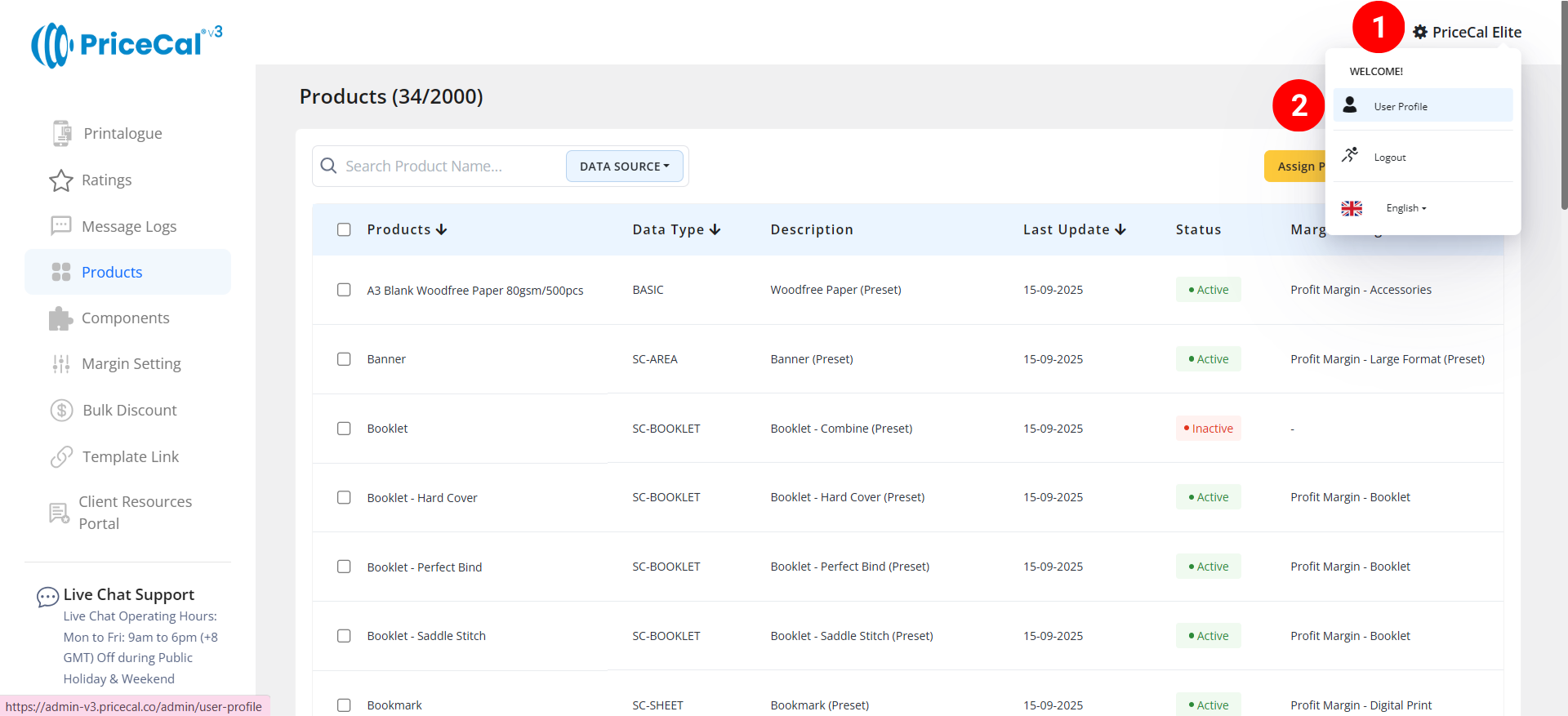
You will see your account information, subscription details, usage statistics, and module permissions.
Step 2: Manage Account Information
[a]. Account Information
You can edit the following details:
-
- User Name
- Contact Number
- Company Name
💡 Tip: Keep this information accurate as it may appear in system notifications and documents.
[b]. Change Password
Update your login password here. You can change it to an easy-to-remember password.
[c]. Subscription Package & Duration
- View your current subscribed package
- Check subscription validity period
- Useful for monitoring feature availability and renewals
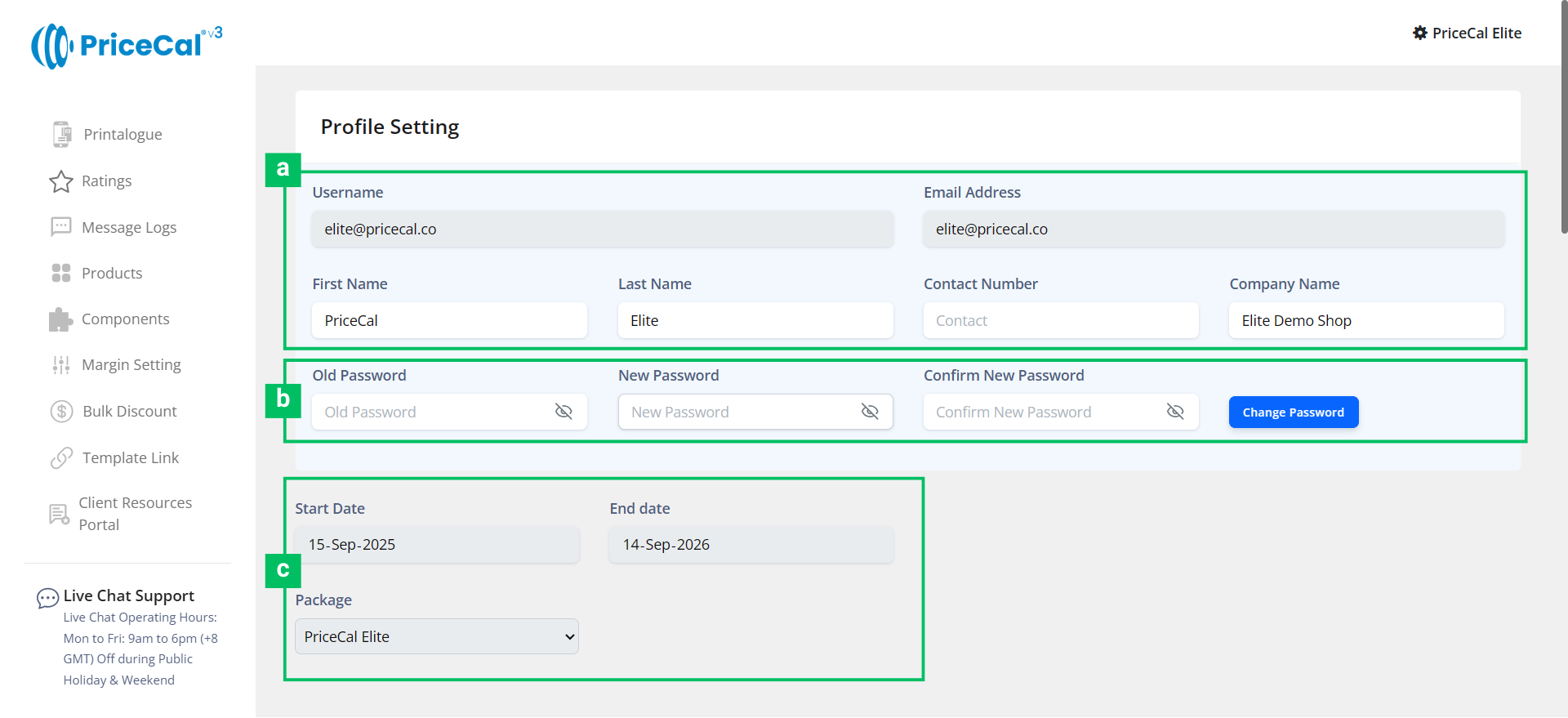
[d]. Custom WhatsApp Sender
The custom WhatsApp sender feature allows print shops to send quotes, payment information, and order notifications via your own WhatsApp number. By default, the system uses PriceCal system’s WhatsApp number.
*Available as an add-on for PriceCal Lite and Pro, and is included for free in PriceCal Elite, subject to applicable terms.
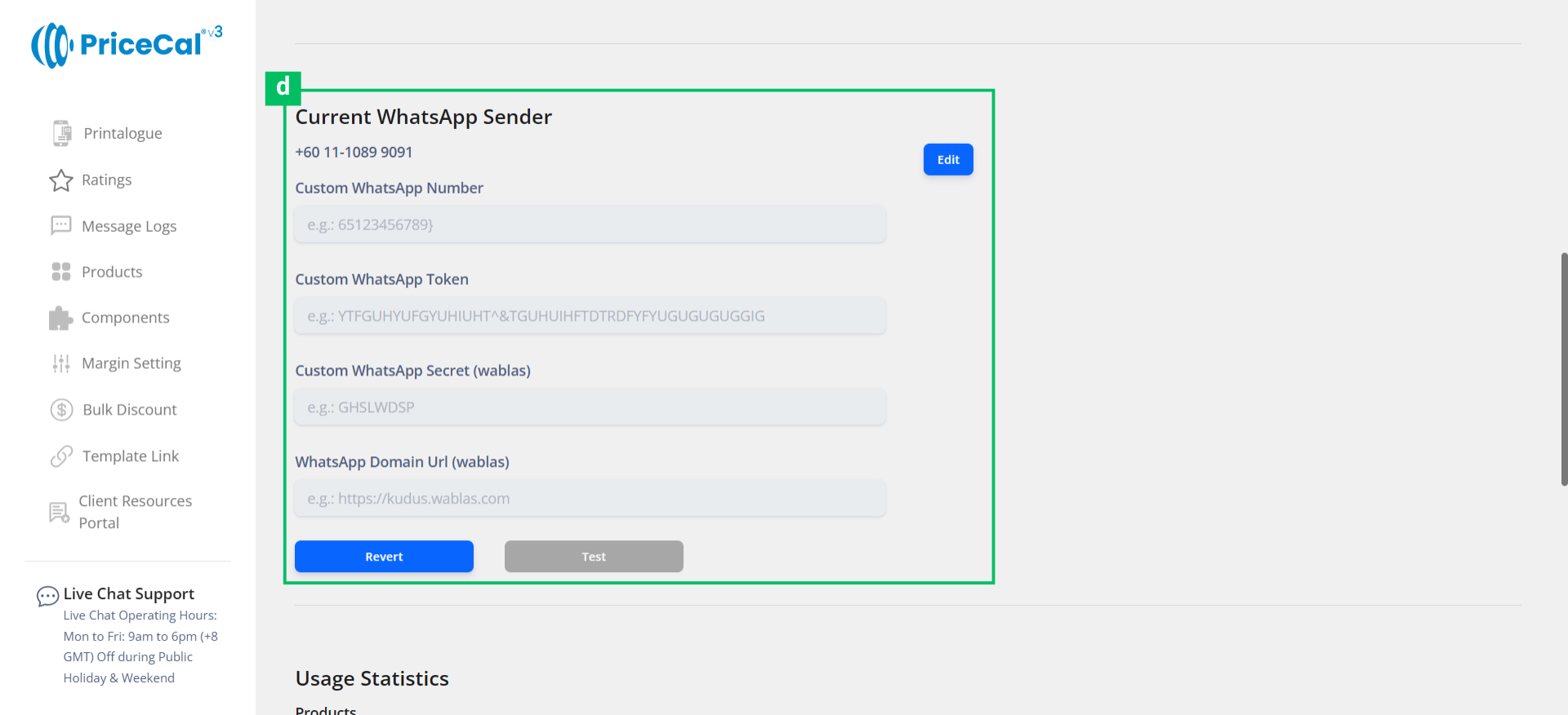
[e]. Usage Statistics
The Usage Statistics section shows your current product and component usage compared to your quota. This helps you monitor system limits and plan future product expansion without interruptions.
If your product quantity reaches the quota, you can upgrade your package or purchase add-on quota.
[f]. Modules Usage and Permissions
Each module controls a specific system capability:
-
-
The Cost Breakdown module allows admins to view the cost of each component in the price preview calculator.
-
Calculation Limit displays how many times price calculations (quotations) can be generated by the system.
-
Template Link lets you upload an Excel file containing artwork template links from platforms such as Google Drive or Dropbox, which will be converted into downloadable template links for customers.
-
Custom WhatsApp controls the setup and usage of your custom WhatsApp sender number.
-
Pacdora Downloads manages the download limits for final design file and die-cut lines from Pacdora Design Studio. This feature applies only to SC-Packaging / Design Studio users and requires PriceCal Elite.
-
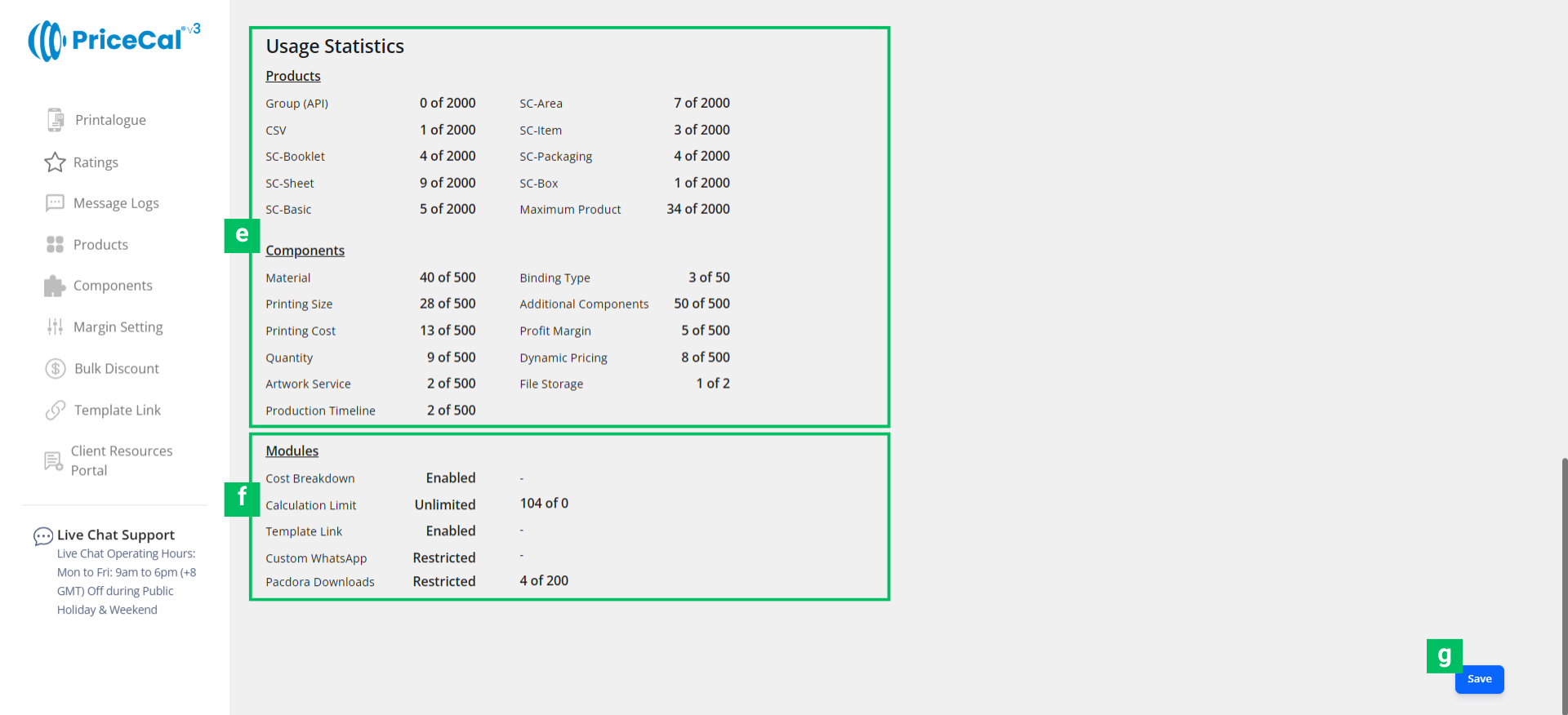
[g]. Save Your Settings
Click “Save” after editing any information
Best Practices & Tips
- Regularly check Usage Statistics to avoid hitting limits
- Set up Custom WhatsApp Sender early to improve customer communication
- Use Template Link to reduce back-and-forth with customers on artwork files
- Review Module Permissions so your team understands what features are available