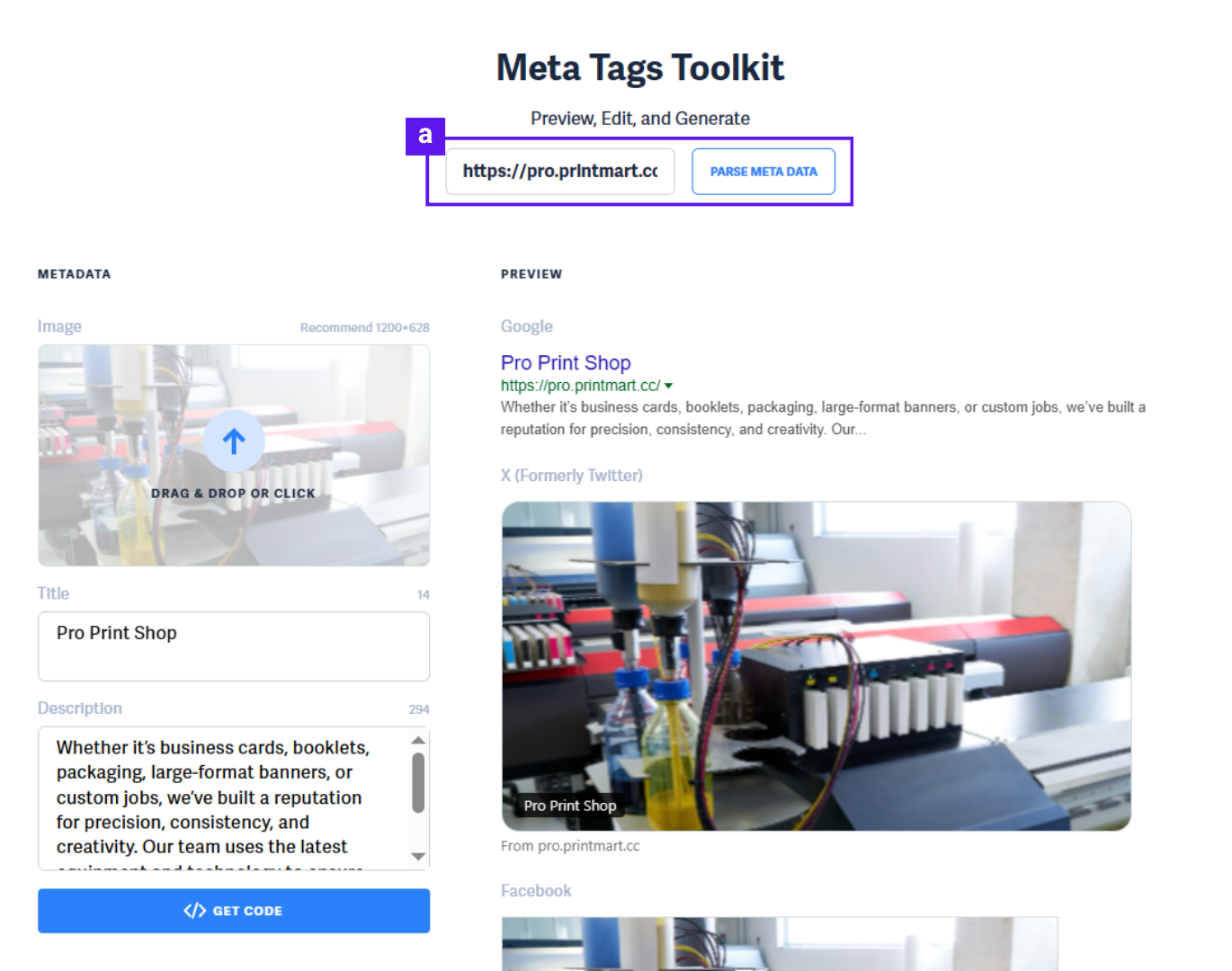
Social Sharing controls how your Printalogue storefront appears when shared on social media platforms like Facebook, WhatsApp, LinkedIn, and Twitter. By customizing your meta logo, image, title, and description, you ensure your store looks professional and attractive when customers share your link—driving more clicks and traffic.
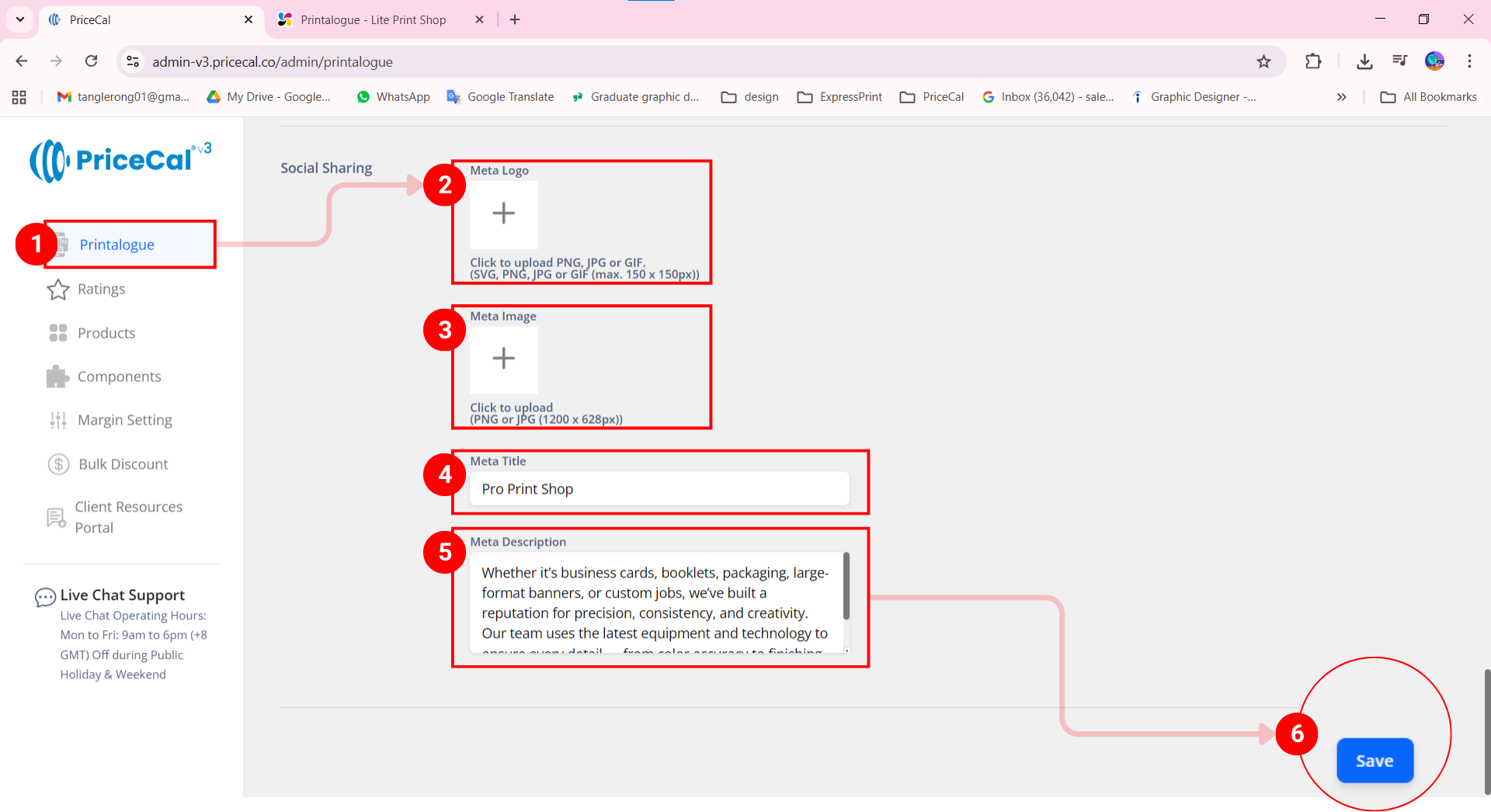
- Go to your Printalogue dashboard.
- Upload your logo as a meta logo
- Upload your meta image
- Enter your Meta Title
- Enter your Meta Description
Tips: you can go to ChatGPT to let AI generate the Meta title and description
(Note [a]: You can click “Test” to preview your meta social sharing.) - Click “Save Changes”
Note [a]: After saving your Meta information, you can go to https://metatags.io/ to preview the social sharing.