
🌐 API Integration: Connect Your Print Supplier’s API Seamlessly
PriceCal enables you to connect directly with your print supplier’s API, automating price synchronization, product updates, and order processing — all within your system. This powerful integration removes the need for manual data entry, reduces human error, and ensures your customers always see the latest and most accurate pricing.
Currently, PriceCal supports integration with:
✅ Expressprint (Singapore)
✅ Excard (Malaysia)
✅ PrintPro (Malaysia)
If you wish to connect with additional print suppliers, you’ll need assistance from an IT or software development vendor to build a Processing Application that bridges communication between PriceCal and the supplier’s system.
⚙️ How API Works
Let’s say you’re running an online print shop and want to resell products from Expressprint (Singapore).
Instead of manually updating prices or uploading new product data, the API integration allows PriceCal to:
-
Automatically retrieve real-time pricing and product data from Expressprint.
-
Update prices instantly whenever Expressprint changes its rates.
-
Streamline order processing by syncing directly with your supplier’s system.
This ensures your storefront stays up to date with minimal effort — no more manual price updates, fewer mistakes, and a smoother, faster customer experience.
🧭 Navigating to API Product Creation
-
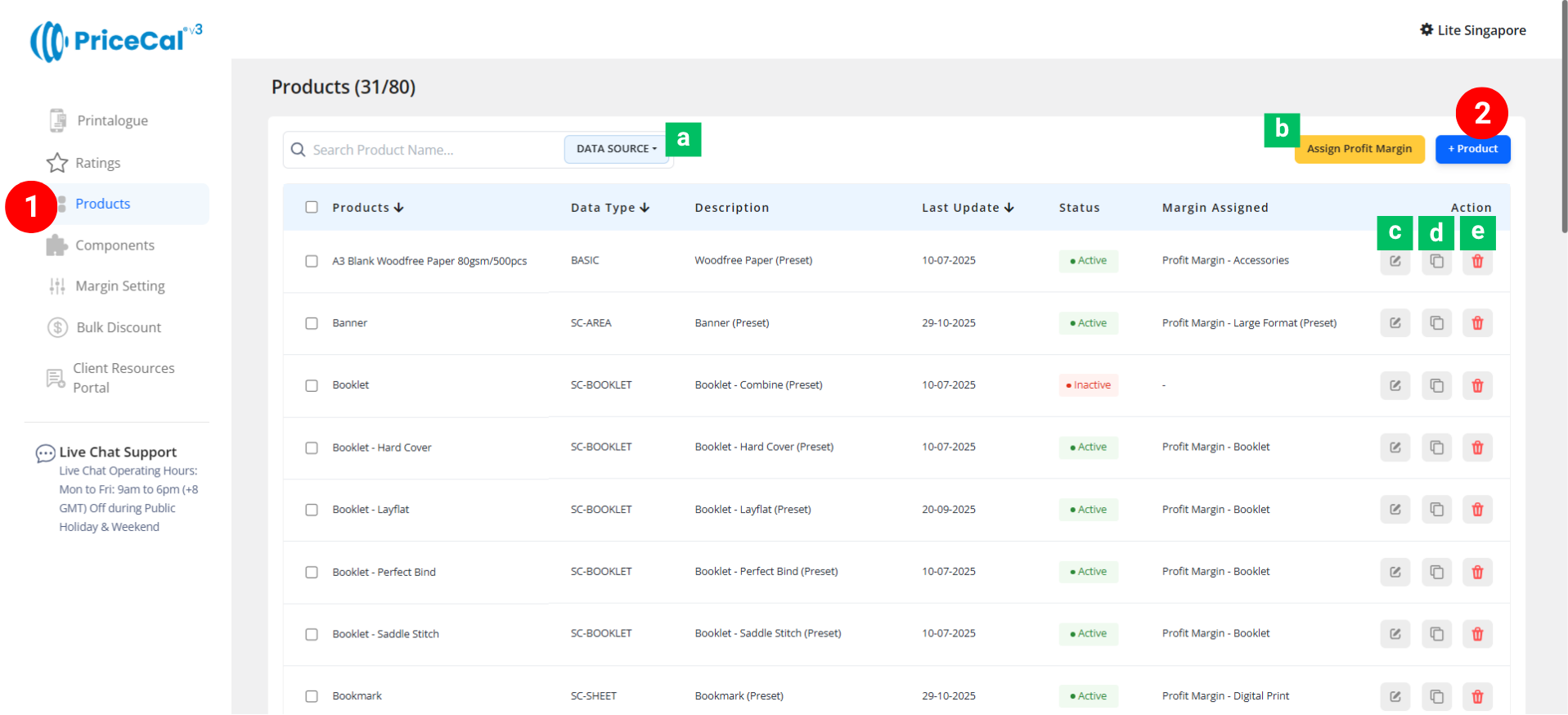
Go to your Product Dashboard.
-
Data Source Sorting [a] – Filter to view products from the same data source.
-
Assign Profit Margin [b] – Apply one profit margin setup to multiple products at once.
-
-
To create or manage a product, click Add Product – Start a new product setup.
-
Edit [c] – Modify existing product details.
-
Duplicate [d] – Clone an existing product setup to reuse its structure.
-
Delete [e] – Remove unused or outdated products.
-
🧱 Create a API product
Step-by-Step Setup
-
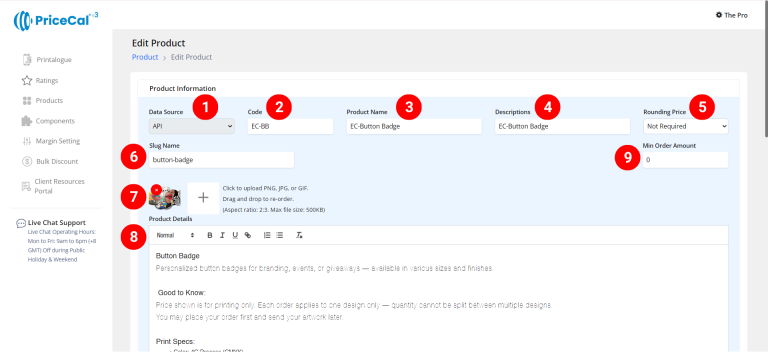
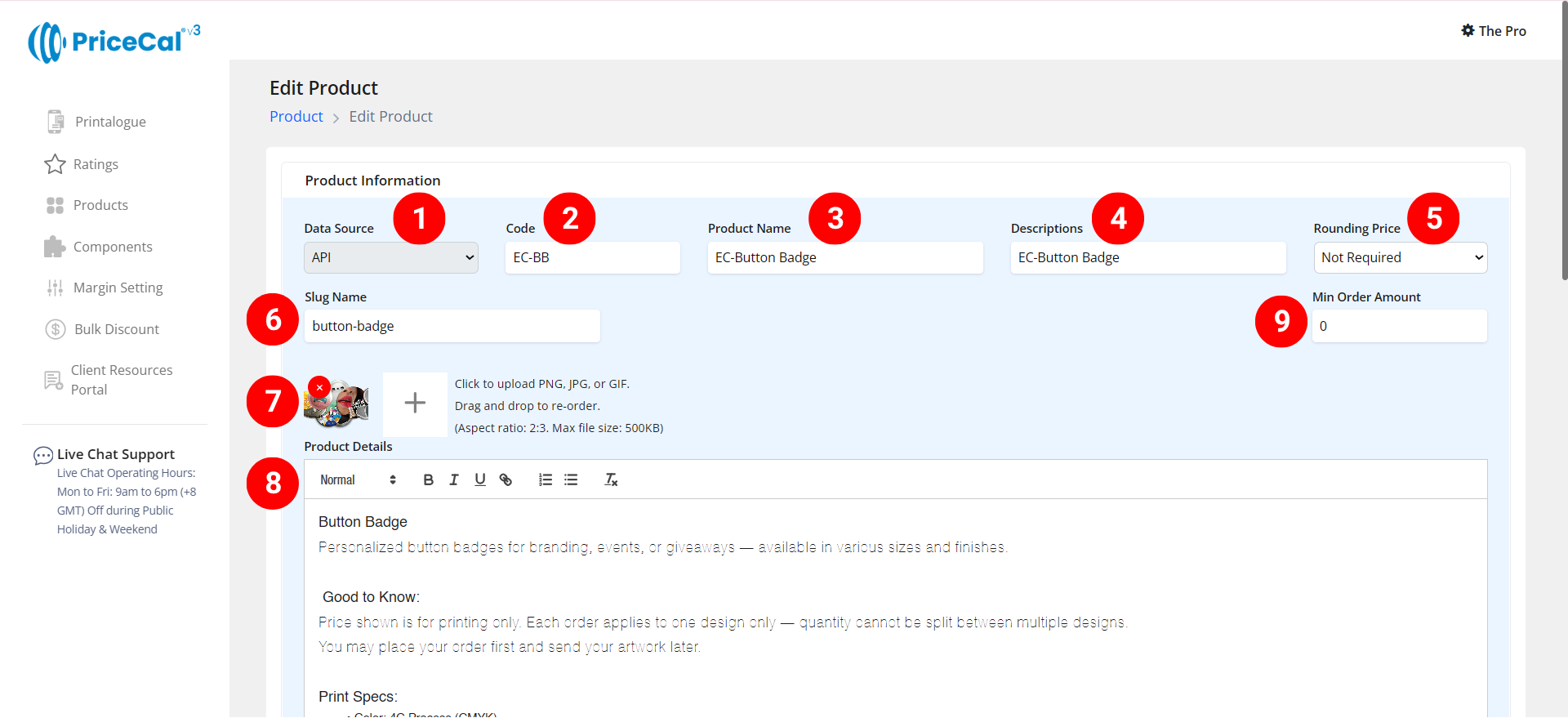
Select “API” as your product category.
-
Enter a unique code (up to 8 characters).
-
Input your Product Name based on the API product source you selected
-
Add a short Description to identify production type. Example: “Own Production”, “Outsource Production”
-
(Optional) Choose your Rounding Price— round price up/down to achieve integer pricing.
-
Enter a Slug Name to create a product link.
Example: Slug “button badge” → your link will be
https://lite.printmart.cc/products/button-badge
If no slug is specified, a random code will be used. -
Upload Product Images (up to 10).
-
Fill in your Product Details and Specifications, such as product, print specs, and production days.
-
(Optional) Set a Min Order Amount.
💡 Tip: Regardless of the print quantity or total price, there will be a minimum charge unless the calculated price exceeds the minimum order amount.
-
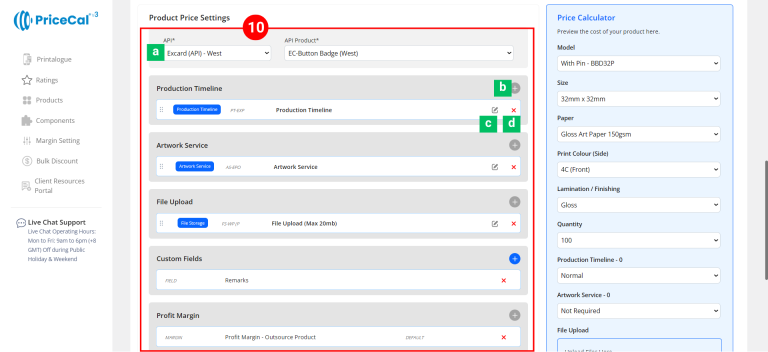
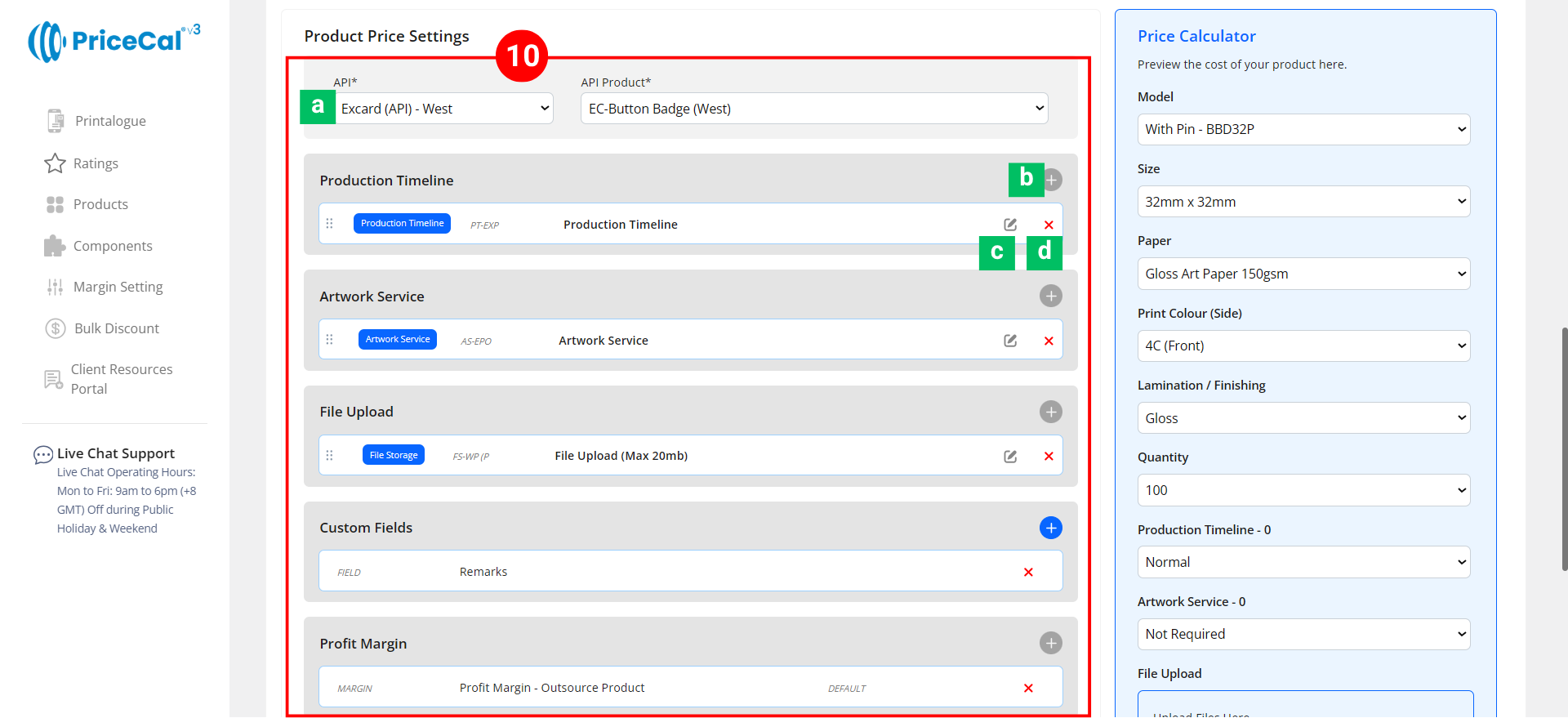
Assemble Product API Source and Components. All options and prices for API products are provided by third-party print providers.
You can still add extra services, margins, or options using the Components section.-
API [a]: Select the API and Product source you want to resell
- Add Component [b]: Add or create a new component (e.g., Artwork Service, Timeline).
-
Edit [c]: Modify component setup (changes sync to all products using this component).
-
Delete [d]: Remove the component from the current product.
-
🔸 Optional System & Custom Components
Add these depending on your product requirements:
-
-
Production Timeline – Offer flexible production speed (Normal / Guaranteed Date).
-
Artwork Service – Design or setup service options if applicable.
-
File Upload – Enable file upload and select storage location (WordPress or Dropbox). [Only displayed after integration into WordPress website]
-
Custom Fields – Collect extra info or artwork links (e.g., Google Drive link, ).[Only displayed after integration into WordPress website]
-
Profit Margin – Apply different profit percentage levels.
-
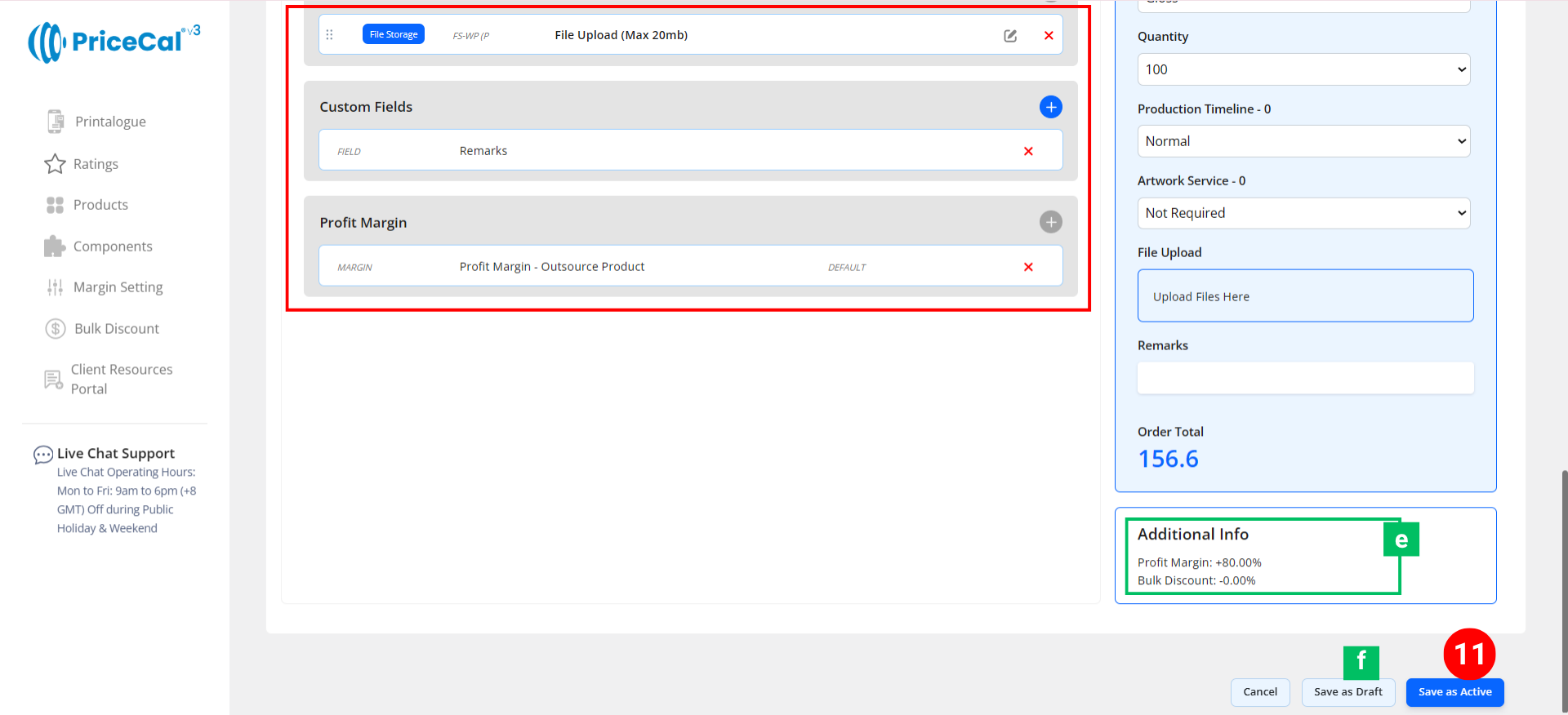
🧾 Additional Info [e]: Get instant calculation insights
-
-
-
Financial Overview – Displays applied profit margin
-
-
11. Finalize the Product
After setting up all details and components:
-
-
-
Click “Save as Active” to publish the product to your storefront.
-
(Optional) Click “Save as Draft [f]” to keep the product inactive and hidden from the shop until ready.
-
-
💡 Why Use API Products
API Products allow you to sell a wide range of print types — from business cards to large format banners —
without owning multiple printing machines or having in-depth print production knowledge.
By connecting to partner APIs, you can easily expand your product catalog, automate pricing, and increase profit margins with minimal operational cost.