
🧾Setting Up Sheet Materials (SC-Booklet / SC-Sheet / SC-Box / SC-Packaging)
Every print product starts with the right material — it determines your printing cost, quality, and final pricing accuracy.
This tutorial guides you through setting up Sheet Form Materials, used in SC-Booklet, SC-Sheet, SC-Box and SC-Packaging products.
🔹 What Is a Sheet Material?
Sheet materials are used for cut-sheet prints — such as business cards, flyers, stickers, and packaging.
Each material has its own size, thickness, GSM, and cost, which PriceCal uses to calculate printing prices accurately.
🧩 Navigating to Material Setup
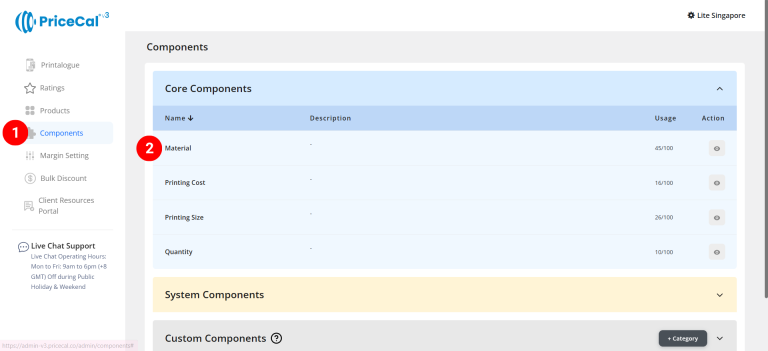
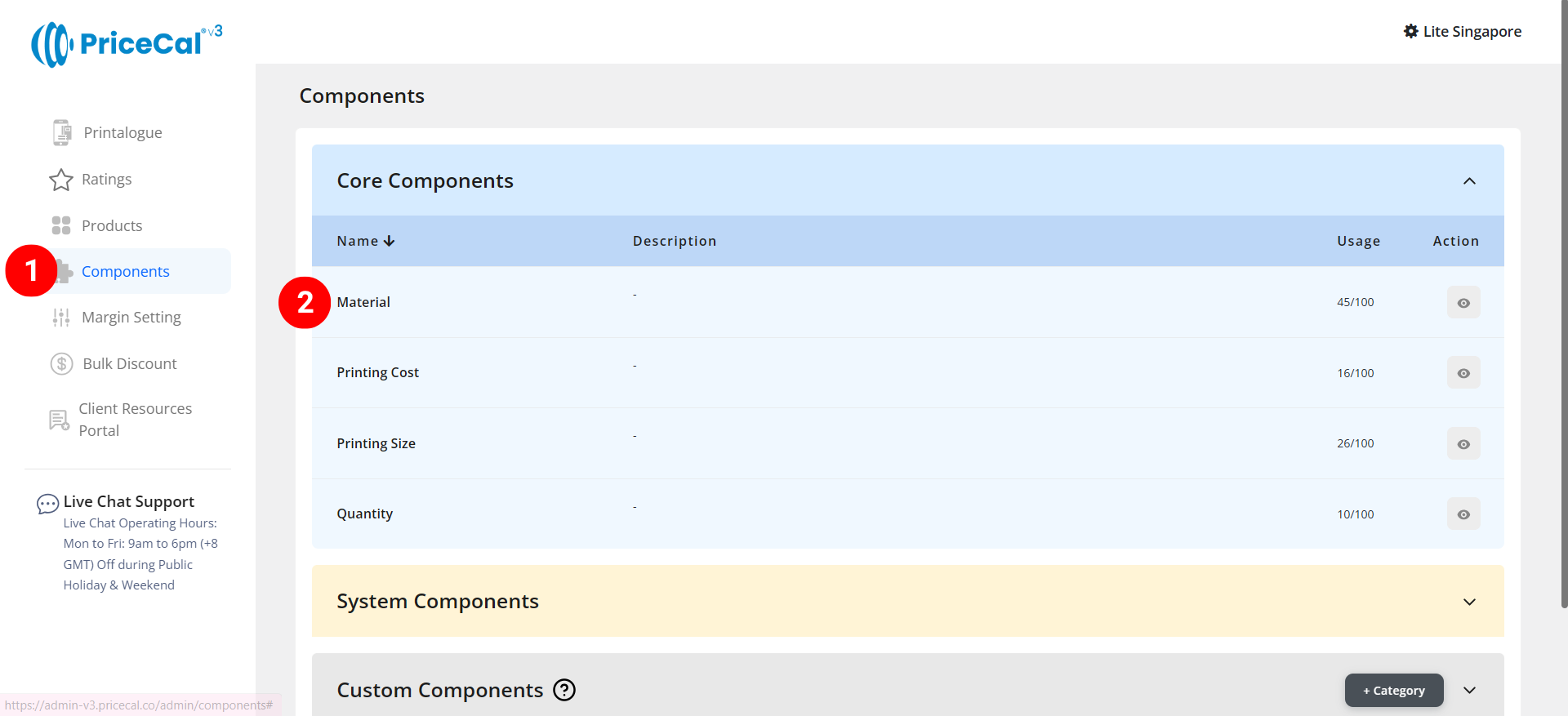
- Go to Component dashboard
- Click Material category
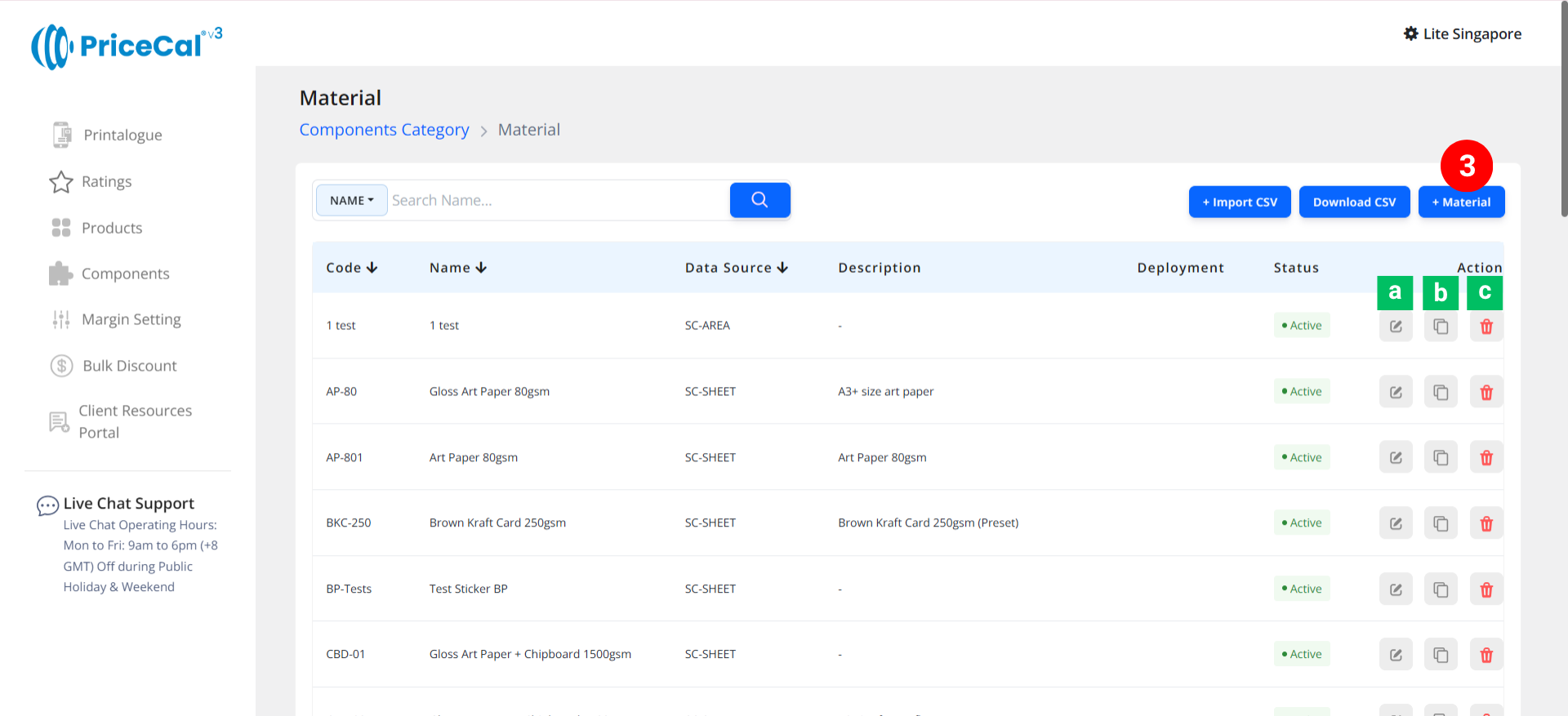
- Add Material
Edit [a]: modify existing components.
Duplicate [b]: clone a material setup to reuse and create new.
Delete [c]: remove unused materials.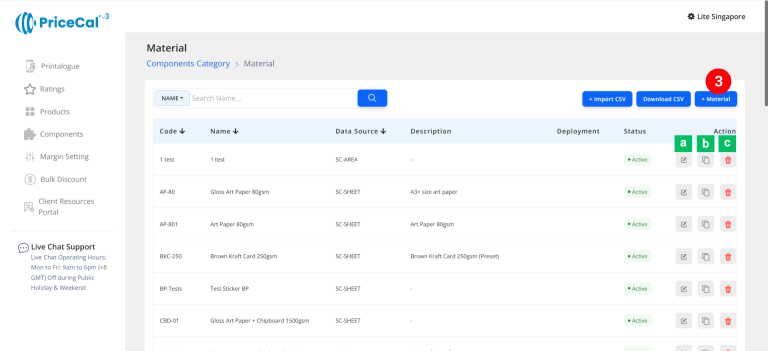
🧱 Create a Sheet Form Material
Step-by-Step
-
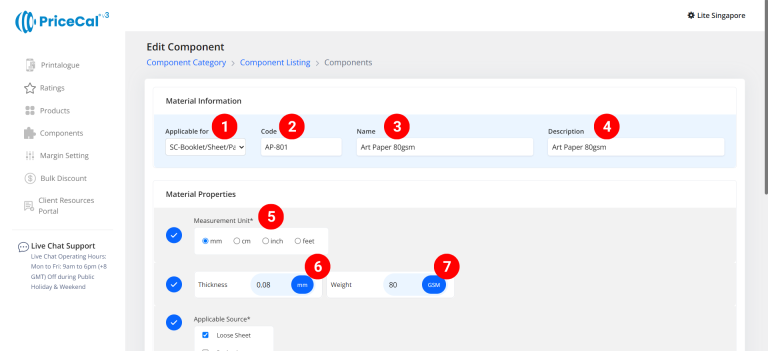
select “SC-Box/Bkt/Pkg/Sht”
-
Put a unique code (up to 8 units)
-
Enter the material name
-
Enter the material description. (description is important, it will help you to quickly know the information of this material, such as material paper size)
-
Select measurement unit
-
Enter the material thickness (💡 Tips: You can stack 50 sheets of material together to get the thickness of a stack, then take another stack of 50 sheets to get the thickness of a single sheet.)
-
Enter the material weight (GSM)
-
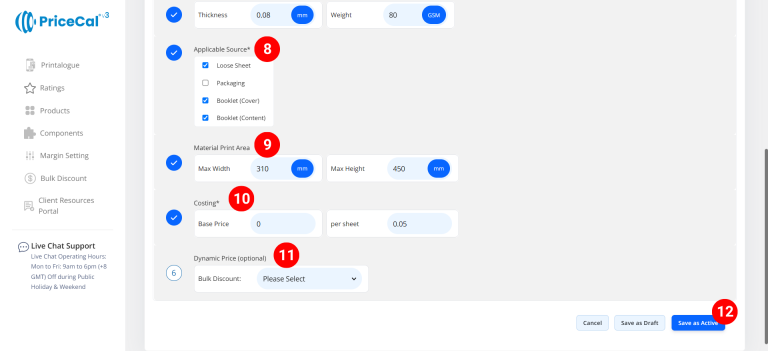
In “Applicable Sources”, tick the product types for which this material can be printed.
– Loose Sheet: for sheet form product (SC-Sheet)
– Packaging: for packaging box product (SC-Box and SC-Packaging)
– Book Cover: for booklet Cover pages only (SC-Booklet)
– Book Content: for booklet Content pages only (SC-Booklet)🧩 You can tick multiple product types if the finishing applies to several categories.
-
Enter the maximum printable material size for this material, i.e., the material size excluding the white border size.
-
Enter the material costing
– Base Price: This is the startup price. Regardless of the number of copies printed, there will be a one-time fixed cost for this material.
– Per Sheet: Cost per sheet of blank material.
Example: Base Price is $5 and Per Sheet price is $0.1
If 10 sheets are needed for printing, the material cost would be ($0.1 * 10 sheets) + the base price of $5. -
(optional) Set a Bulk Discount. If no need, just keep it in “Please Select”
💡 Tips: When the cost per sheet of paper you entered is higher than the original cost, you can offer a bulk discount to bring the paper cost back down when printing volumes are large, thus preventing the paper cost from becoming too high. -
Click “Save as Active” to save your material setup.
⚙️ Why This Setup Matters
Without accurate material setup:
-
Quoting will be inconsistent
-
Profit calculations can drift
-
Job costing may fail for larger runs
With a proper sheet material configuration, your PriceCal system can:
✅ Generate precise quotes
✅ Apply automatic quantity-based discounts
✅ Maintain consistent profit margins
✅ Next: Set Up Your Print Size & Print Cost Components
Once your sheet materials are active, continue to define Printing Sheet Size, Booklet Size, Box Size and Printing Cost — two essential parts of your pricing engine.