
📌 Tutorial: Setting Up Eyelet and Frame / Pole Components (for SC-Area)
This setup guides you through creating Eyelet and Frame/Pole/Bunting finishing components under Custom Component of SC-Area, using the “By Perimeter” calculation method.
These options are essential for large-format products like banners, posters, and foam boards.
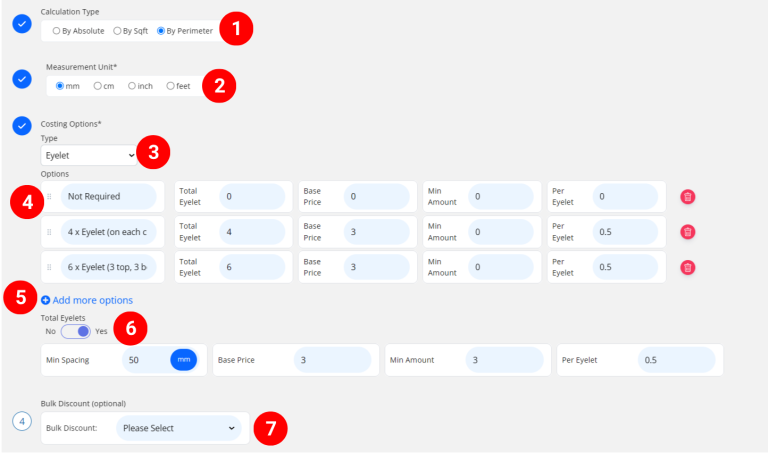
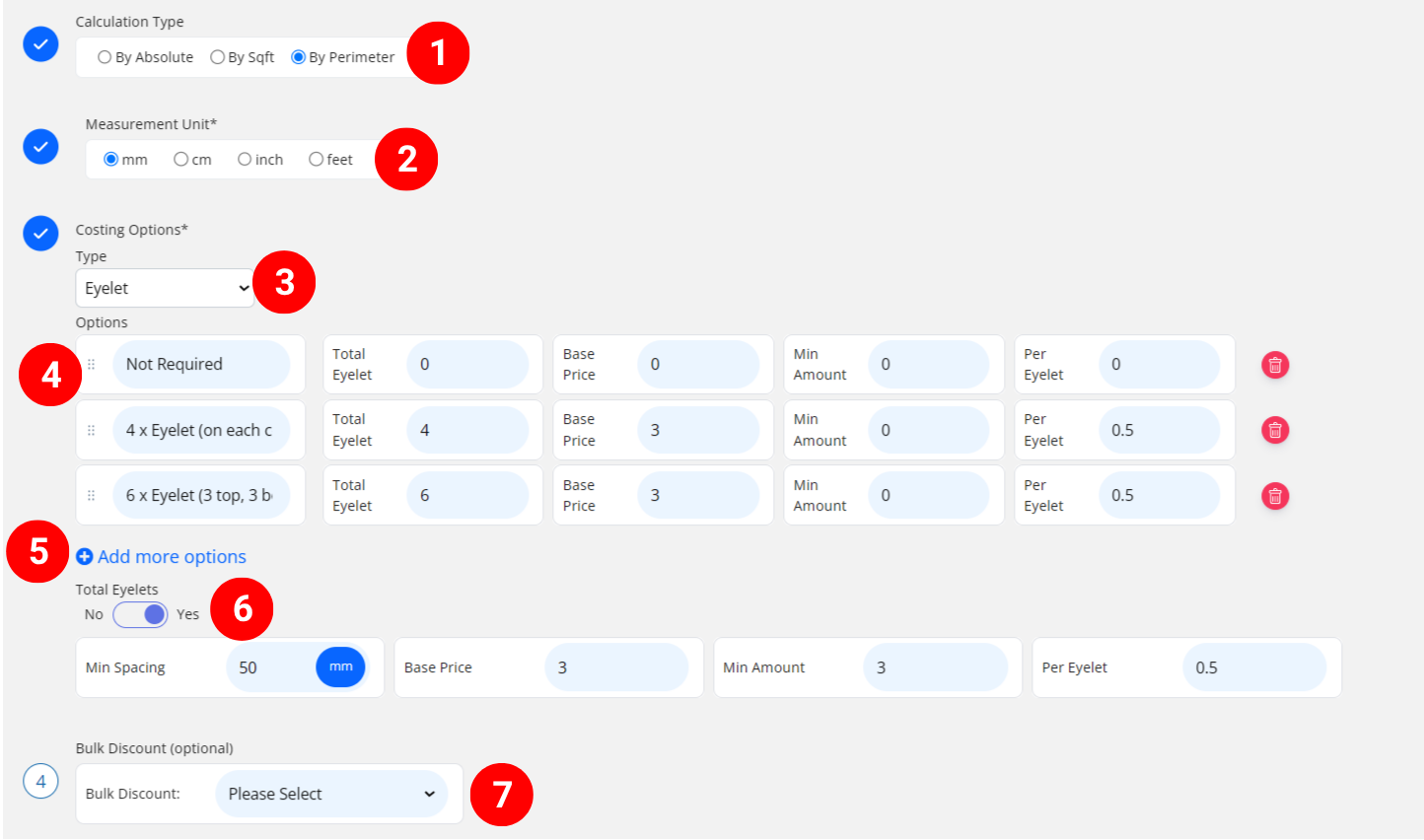
🧱 Create an Eyelet Component
-
Select “By Perimeter”
- Select measurement unit
-
Choose “Eyelet” from the option type list.
- Enter the eyelet cost detail
– Selection Name: The name of the eyelet selection customers will see (e.g., “4pcs eyelet on ech corner”).
– Total Eyelet: Enter total number of eyelets for this option
– Base Price: One-time setup/startup cost before per-eyelet applies
– Min Amount: Minimum eyelet service charge
– Per Eyelet: Cost per Eyelet -
Add more options if you have other eyelet selection available for your customers to choose from
- (Optional) If you offer custom eyelet placement, turn on Custom Eyelet and enter:
– Min Spacing: Minimum distance between 2 eyelets, such as “50mm”
– Base Price: One-time setup/startup cost before per-eyelet applies
– Min Amount: Minimum eyelet service charge
– Per Eyelet: Cost per Eyelet🧩 The system automatically calculates the total number of eyelets based on print size and spacing.
-
(optional) Set a Bulk Discount. If no need, just keep it in “Please Select”
Example: When eyelet cost per piece is high for smaller jobs, apply a bulk discount for larger eyelet quantity to reduce the per-unit cost.
🧱 Create a Frame / Pole / Bunting Component
-
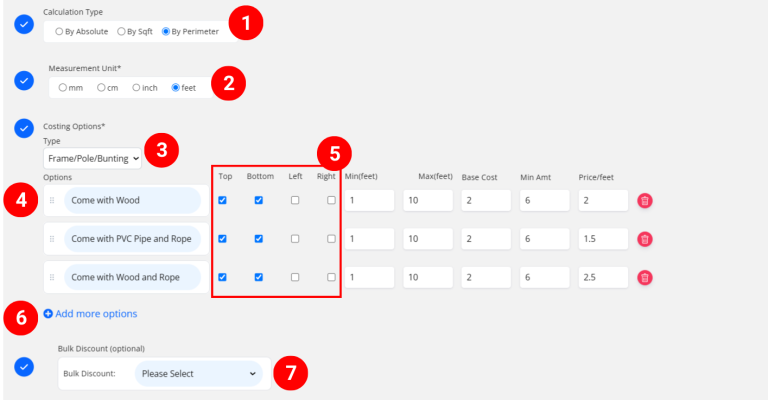
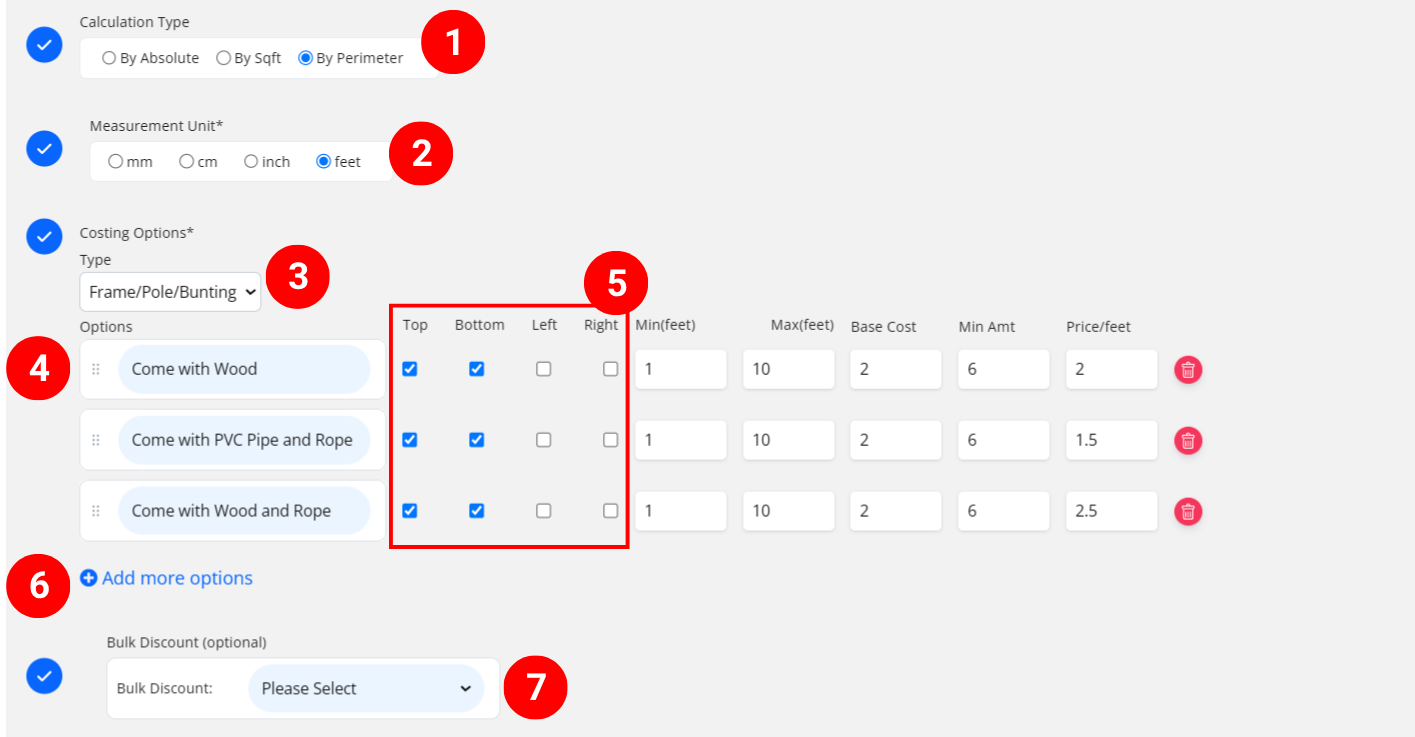
Select “By Perimeter”
- Select measurement unit
-
Choose “Frame/Pole/Bunting” from the option type list.
- Enter the eyelet cost detail
– Selection Name: The name of the selection customers will see (i.e. “PVC pipe”, “2cm Wood Frame”).
– Min: Minimum size of finishing (such as shortest size of pole/wood)
– Max: Maximum size of finishing (such as longest size of pole/wood)
– Base Price: One-time setup/startup cost before per-length applies
– Min Amount: Minimum charge for finishing/Pole only (min amount without base price)
– Price Per Size: Cost per unit length, such as “$1.50 per ft” -
Choose which sides to calculate the cost for:
-
✅ Top + Bottom → For buntings (2 poles)
-
✅ All Sides → For canvases or frames
💡 You can tick the sides that apply based on product type.
-
- Add more option if you have other finsihing selection available for your customers to choose from
-
(optional) Set a Bulk Discount. If no need, just keep it in “Please Select”
Example: When finishing / pole cost per length is high for smaller jobs, apply a bulk discount for larger finishing to reduce the per-unit cost.
Once all done, click “Save as Active” to finalize your additional finishing setup.
Your Eyelet or Frame/Pole finishing is now active and can be applied to SC-Area products.
💡 Quick Tips
-
Use Eyelet (By Perimeter) for banners and bunting installations.
-
Use Frame/Pole (By Perimeter) for wooden or metal frame finishing.
-
Enable Custom Eyelet when customers can define spacing or edge count.
-
Always apply Bulk Discount for large jobs to keep pricing realistic.