💳 HitPay Online Payment Setup
Accepting payments instantly helps you close deals faster and improve customer trust.
With HitPay Online Payment, you can easily let customers pay directly through your Printalogue checkout page — supporting multiple payment options like credit/debit cards, GrabPay, PayNow, and more.
Integrating HitPay with PriceCal allows you to:
-
Automate payment collection for online orders
-
Reduce manual invoicing and follow-up work
-
Track completed payments directly in your dashboard
Getting started only takes a few minutes — simply connect your HitPay account and paste your API key into PriceCal.
Setup Process
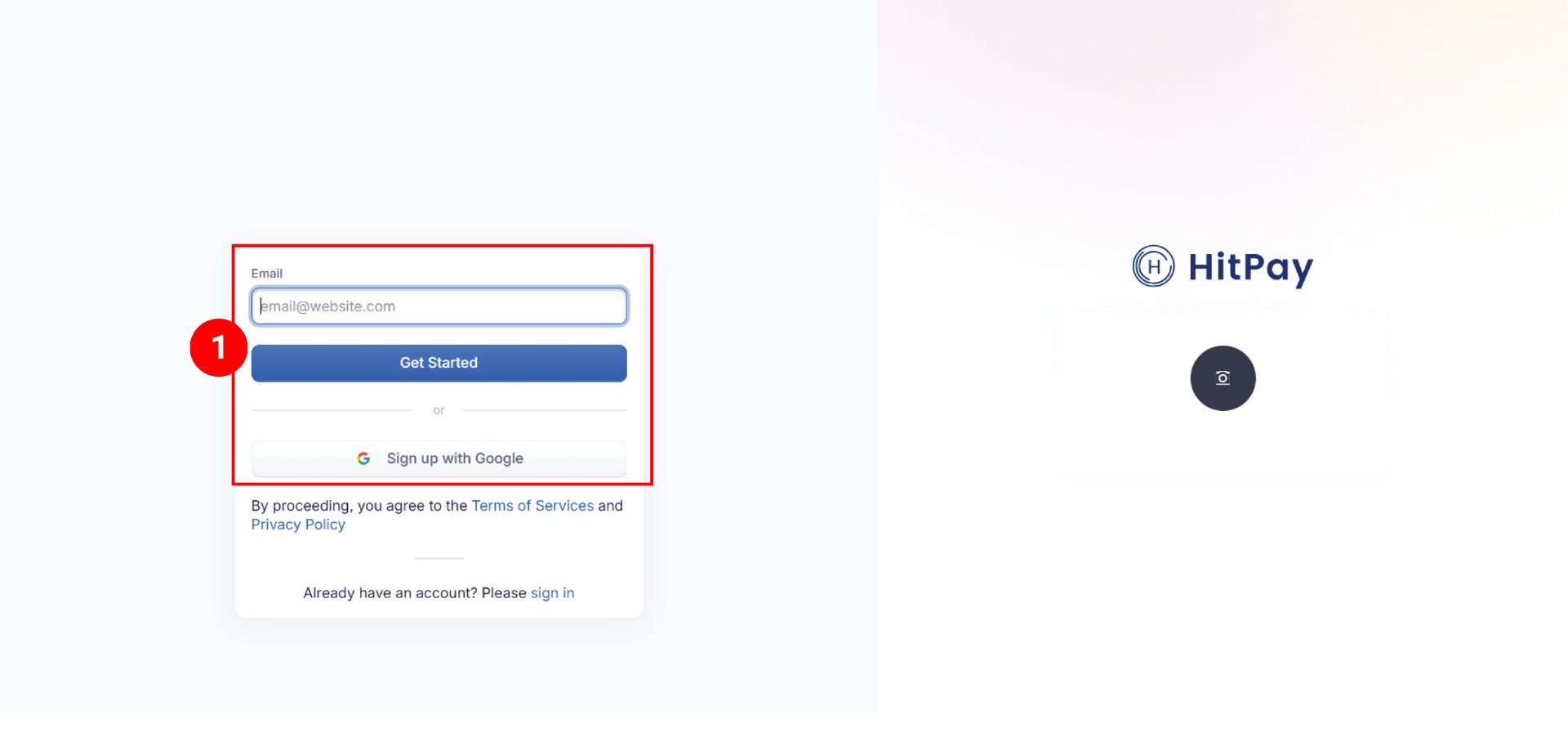
Step 1: Register for an HitPay Account
- Sign up for a free HitPay account (click here to signup)
Complete business verification process (may need a few days)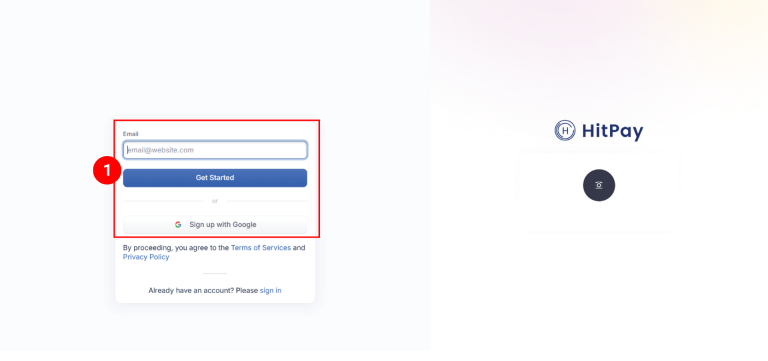
Step 2: API Key Retrieval
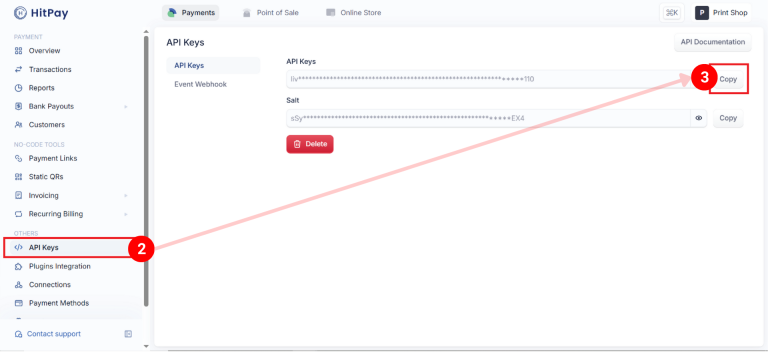
After you have signed up and your account verified, log in to your HitPay Dashboard
- Locate to API Keys
- Copy your unique API key
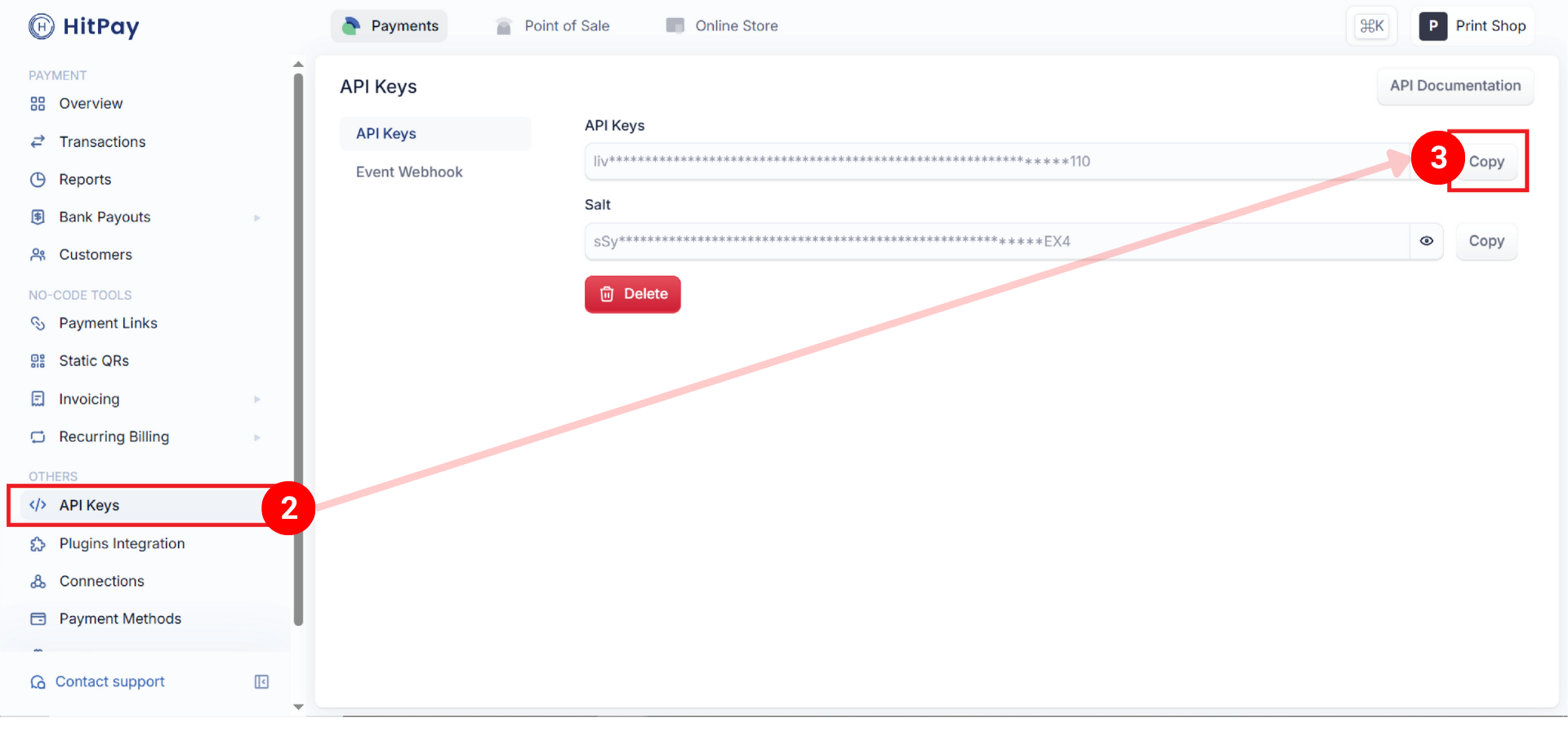
Step 3: PriceCal Integration
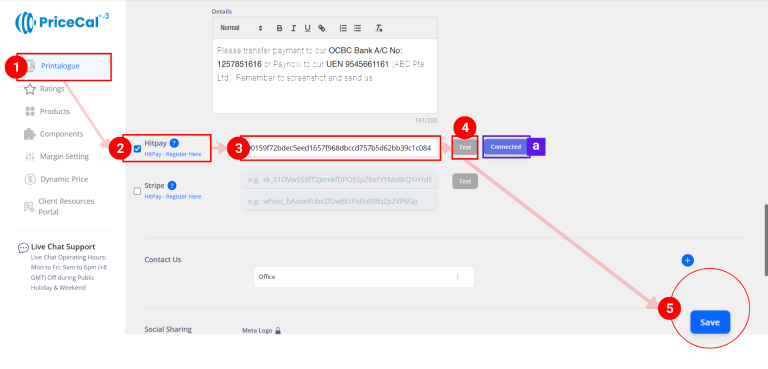
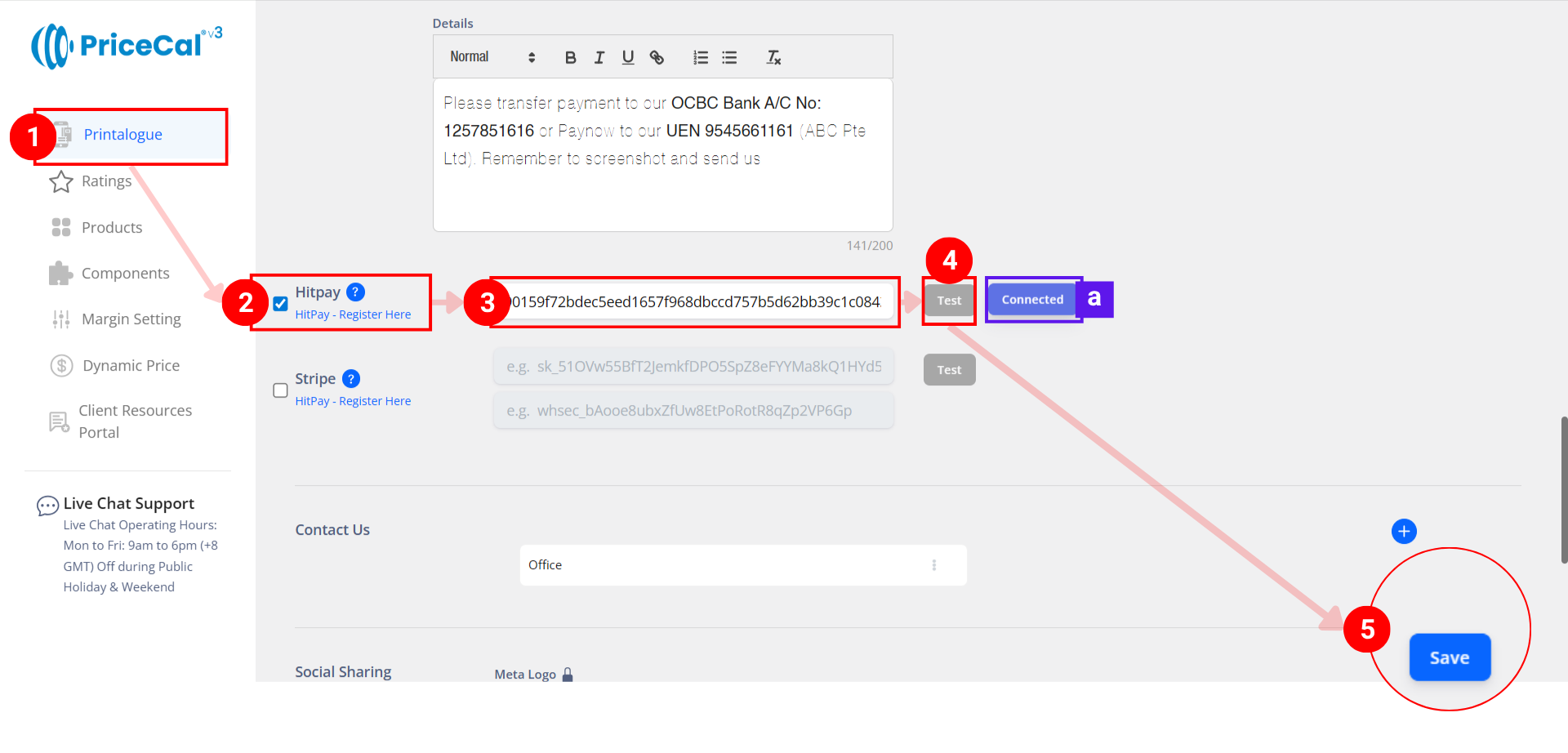
After you have copied your API key, access your PriceCal Dashboard
- Go to Printalogue
- Locate and tick the HitPay integration section
- Paste your API key in the designated field
- Click “Test” to verify the connection
(Note [a]: if your business is not yet verified, the API test may succeed, but it will not work in your Printalogue) - Save your settings
After Setup
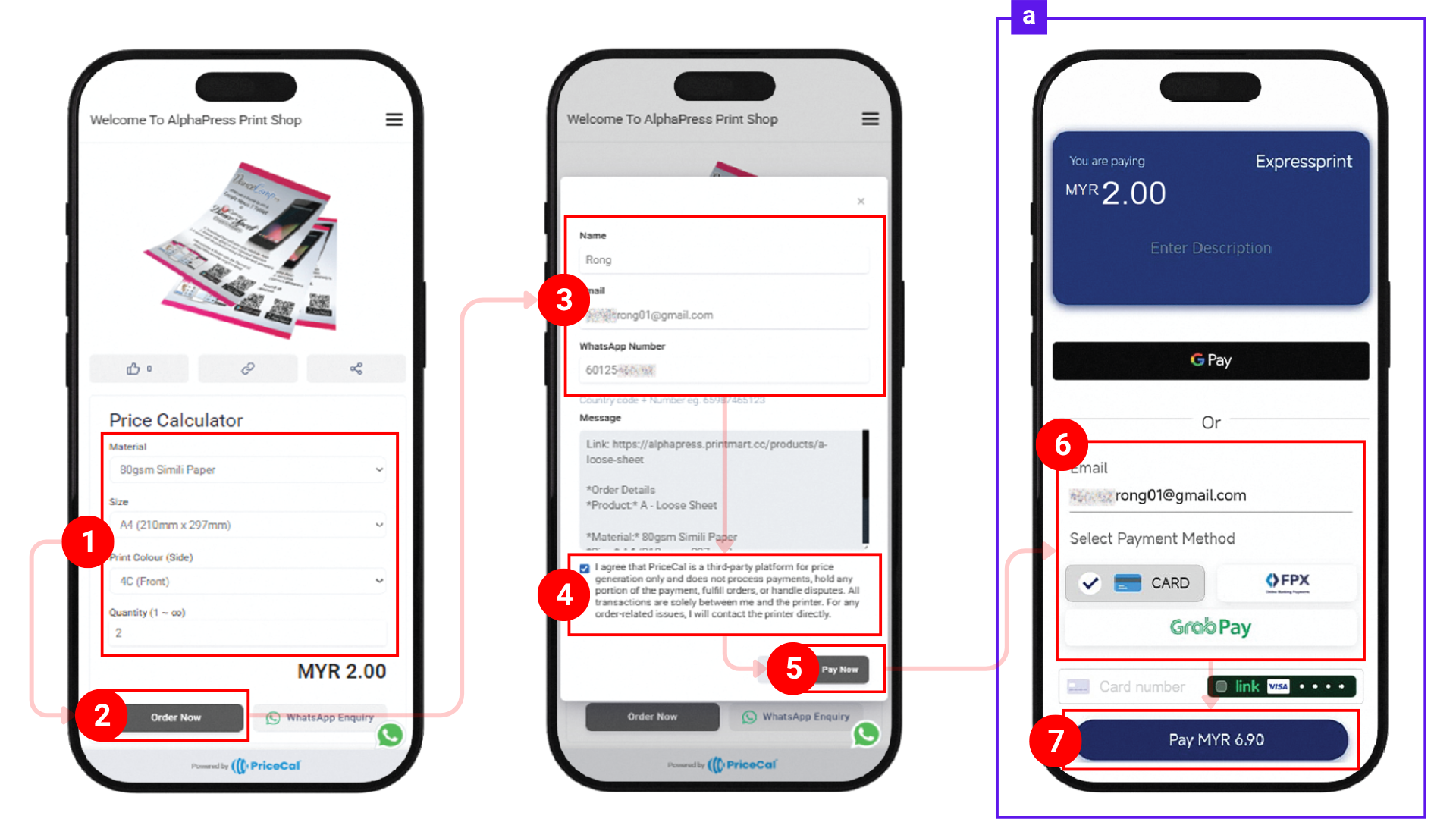
When a customer visit your Printalogue and ready to order, they can
- Select product and specifications
- click “Order Now”
- fill in required details
- reviews and accepts system policy
- finally, “Pay Now” (Note [a]: complete the payment via HitPay checkout page)
- Select the payment method
- click “Pay” to complete payment
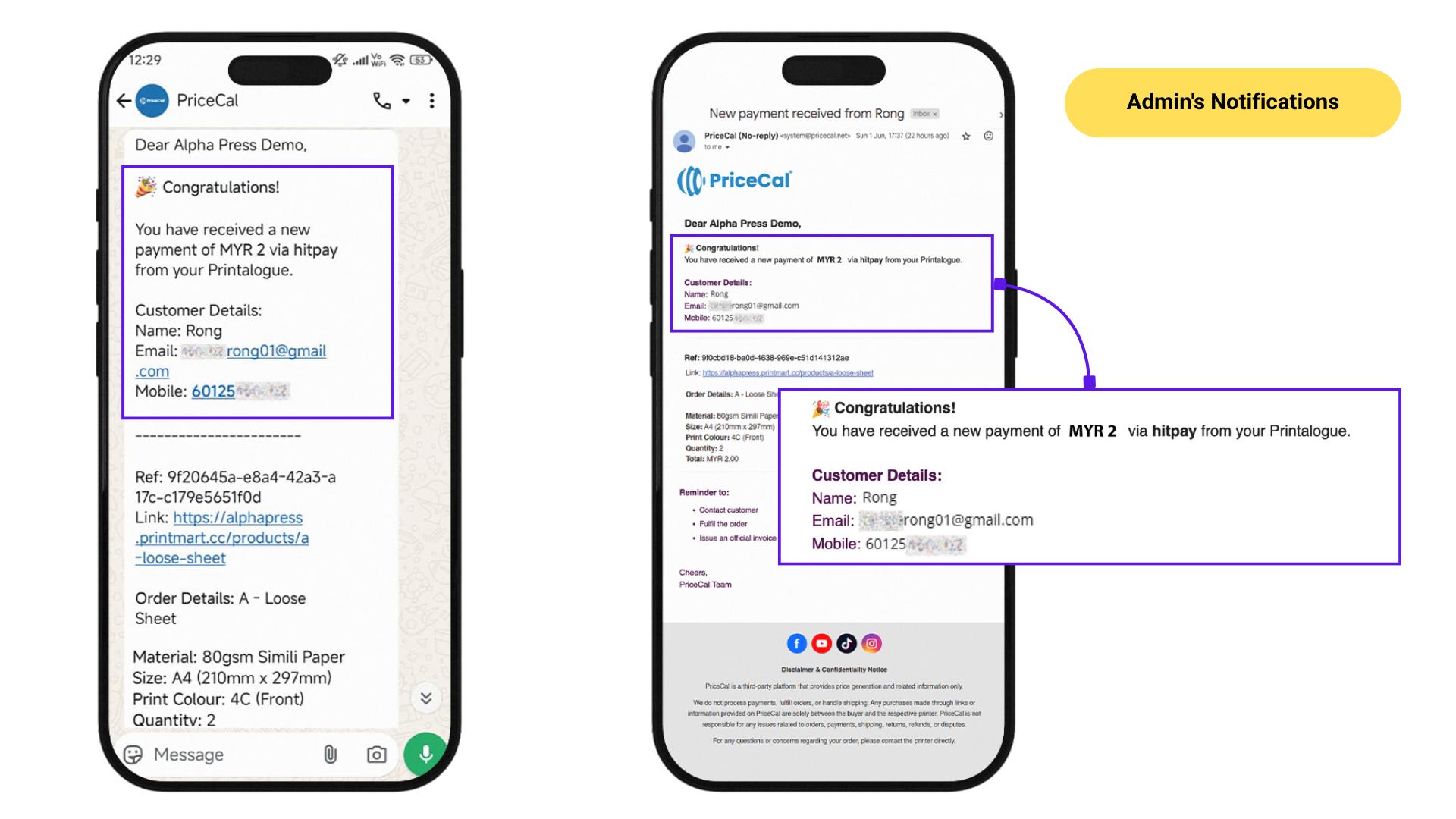
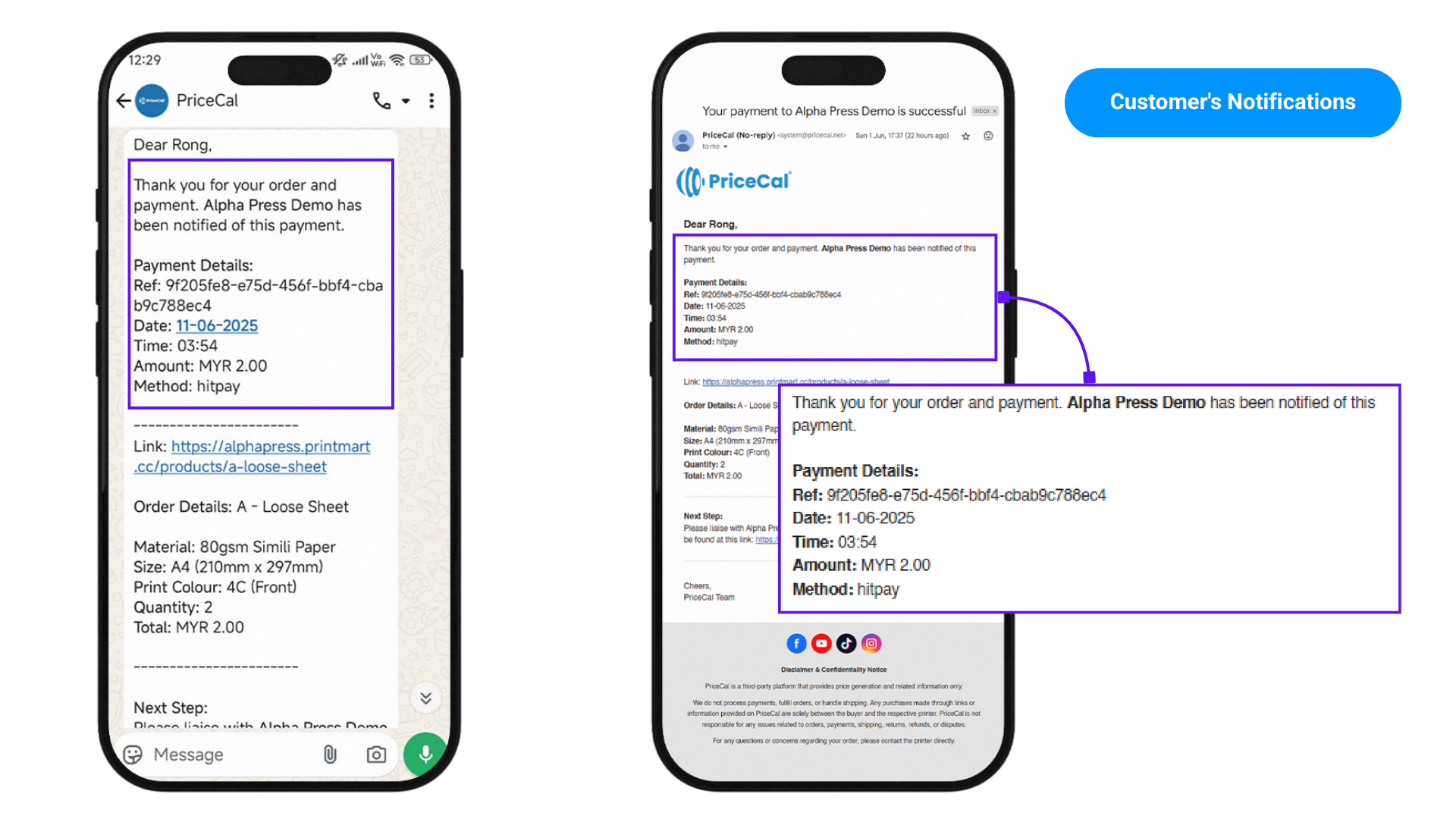
Upon successful payment, both Admin and the customer will received notification via email and WhatsApp (if valid), containing the order details.
Example of Customer’s notifications
Example of Admin’s notifications