
🧱 Setting Up Custom Component (for SC-Item)
This tutorial guides you through creating custom finishing components for SC-Item products such as t-shirts, mugs, or promotional items.
Use this when you want to add extra cost elements like Packing, Fabric Type, or Accessories that are charged per piece.
🧭 Navigating to Custom Component Setup
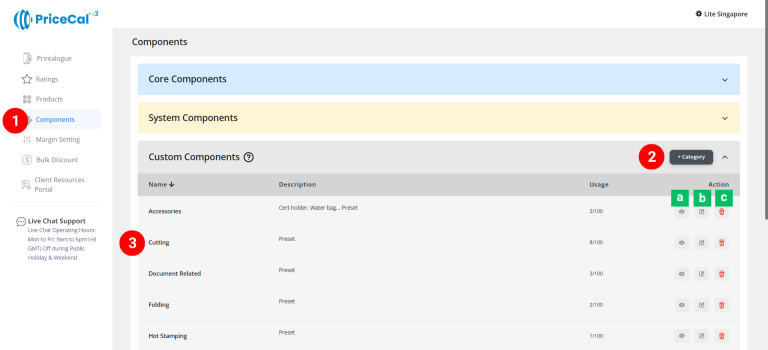
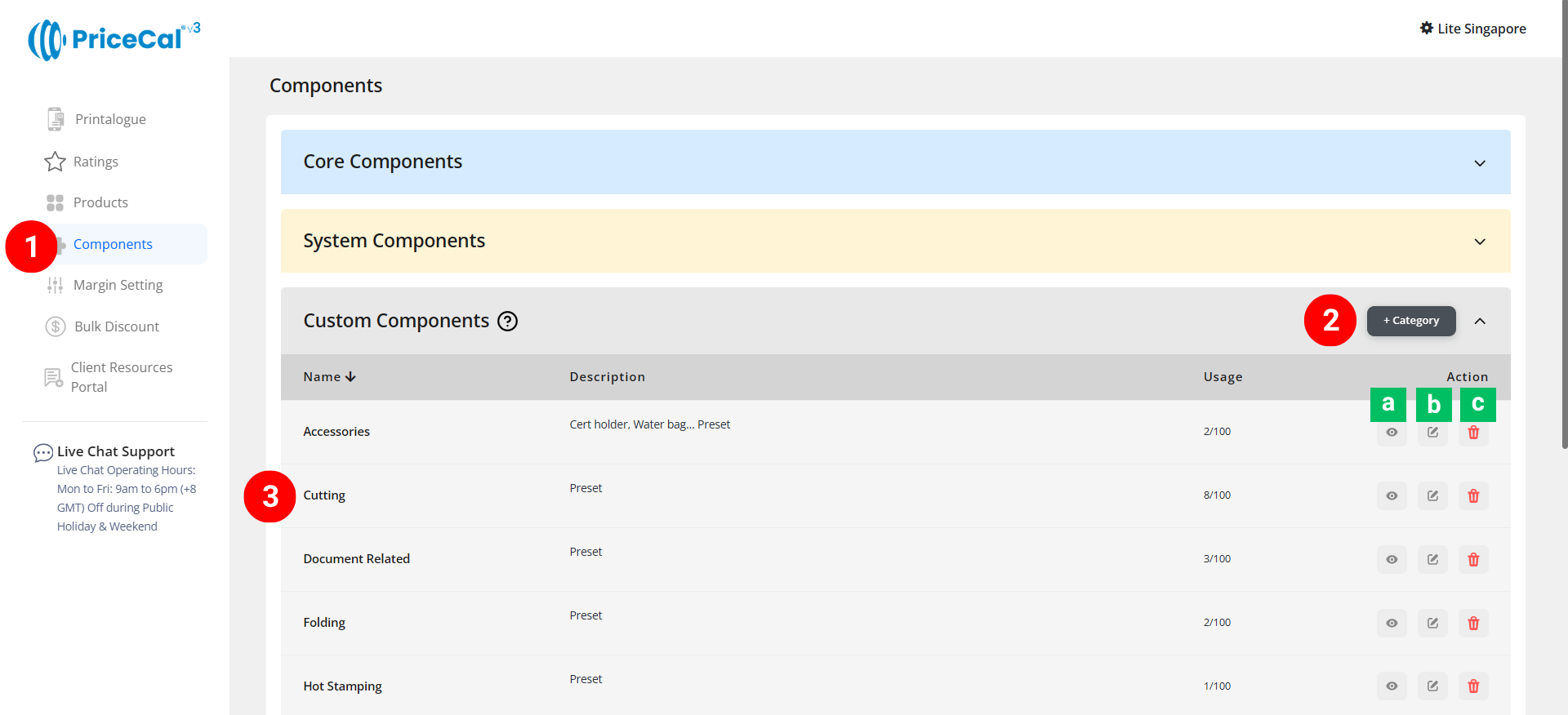
- Go to Component dashboard
-
Add a new category
- Click the category you created
View [a]: Enter the category
Edit [b]: Edit the category name and description
Delete [c]: remove unused category.
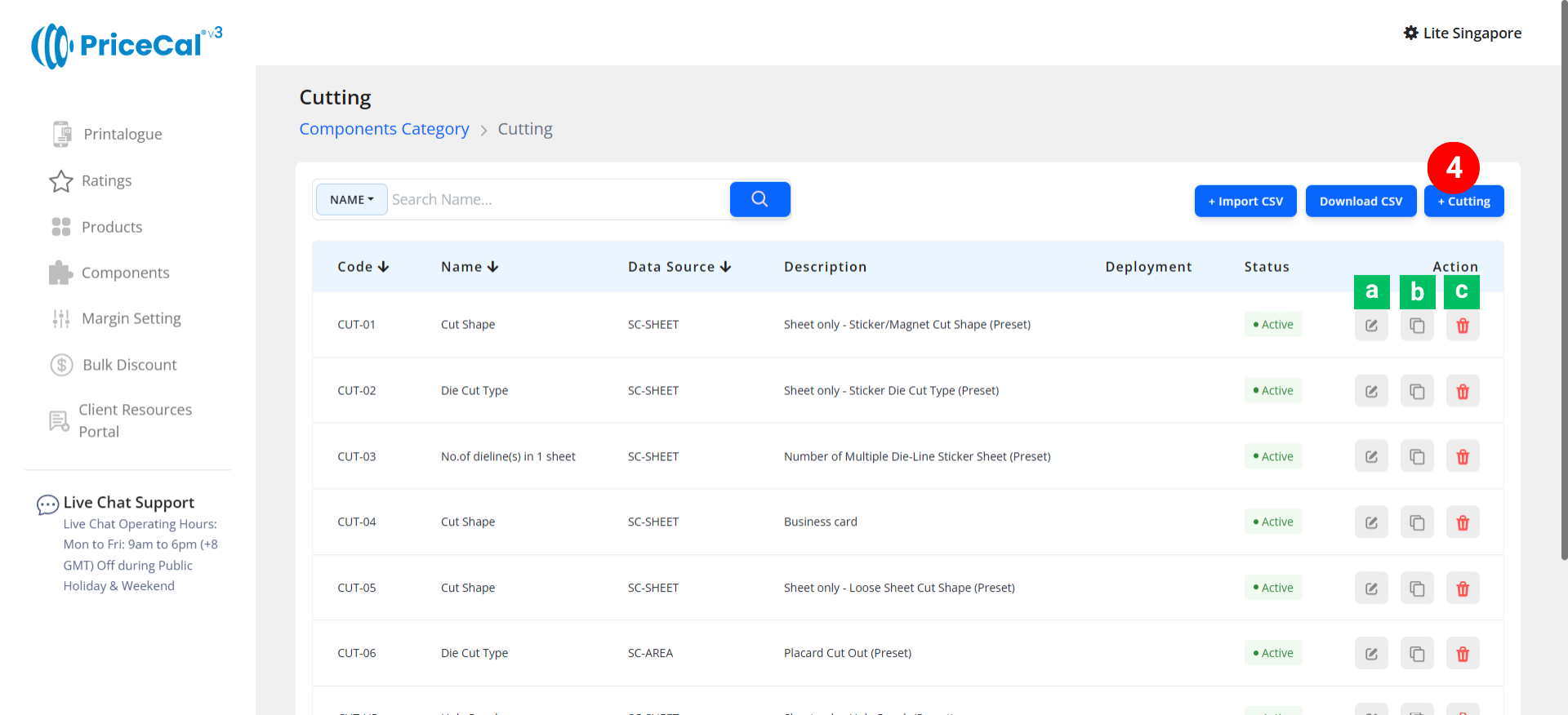
- Add component
Edit [a]: modify existing components.
Duplicate [b]: clone a component setup to reuse and create new.
Delete [c]: remove unused component.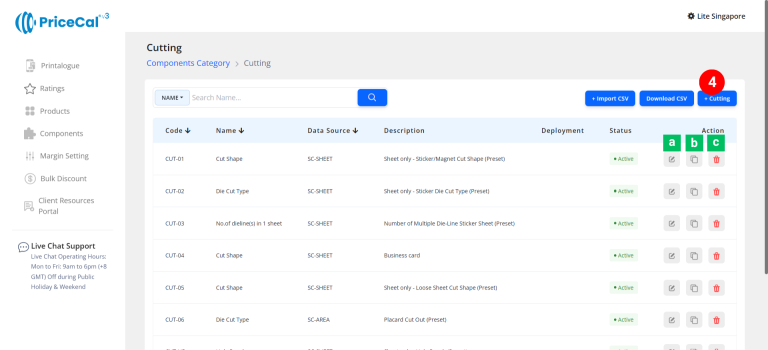
🧱 Create a Custom Component (SC-Item)
Step-by-Step
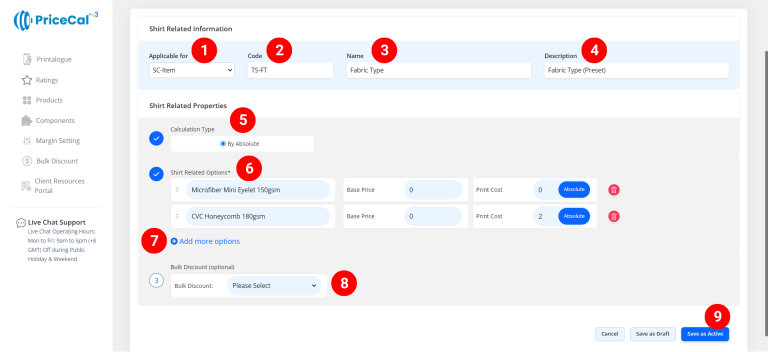
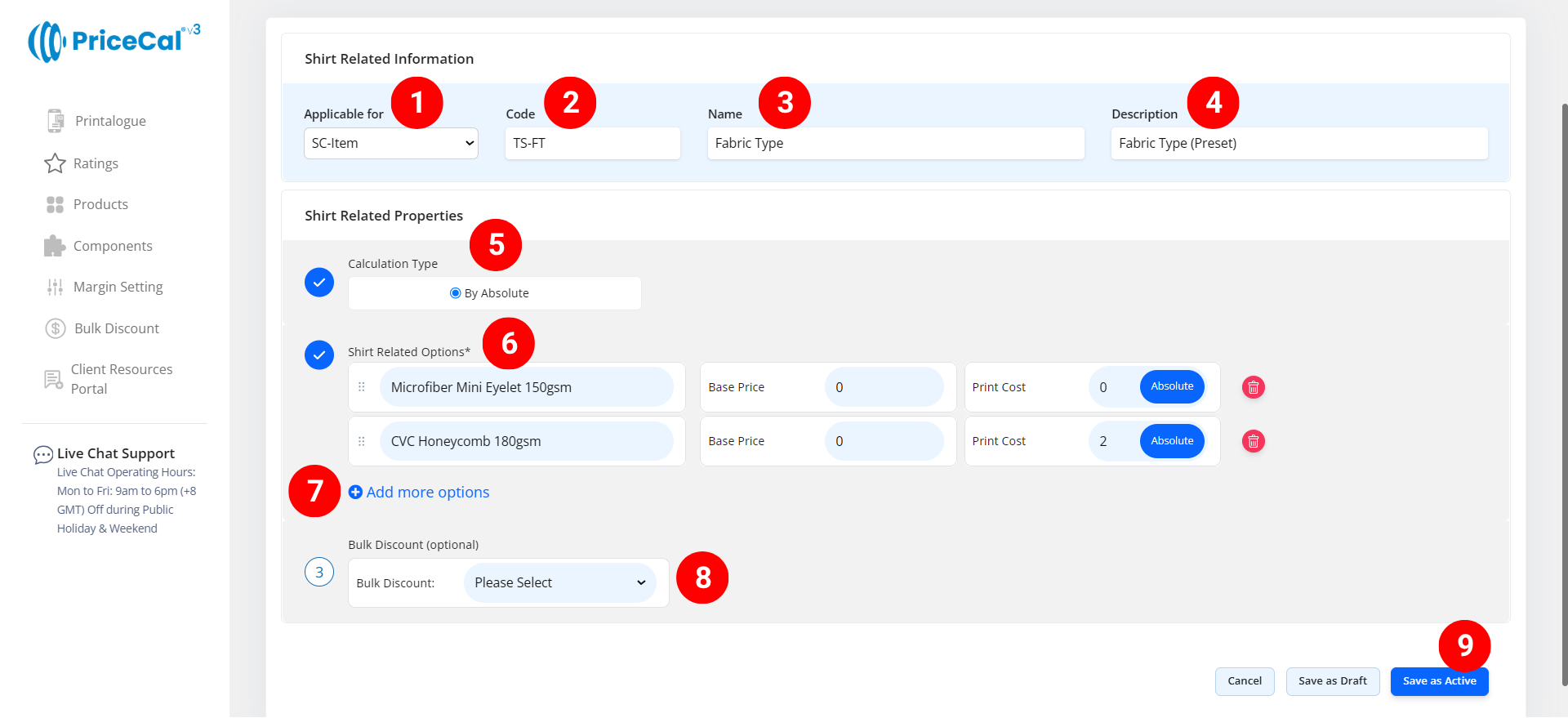
- select “SC-Item”
-
Put a unique code (up to 8 units)
-
Enter the component name. i.e. “Packing”, “Fabric Type”, “Accessories”
-
Add a short note that helps you quickly identify what this component does.
💡 Example: “Packing for mug print”, “Microfiber and Cotton” -
Choose By Absolute in the calculation type:
Calculates the finsihing cost per piece, multiplying the total print quantity by a per-piece rate. (print quantity x print cost per absolute) - Enter the finishing cost detail
– Selection Name: The name of the specification customers will see (e.g., “Pack with White box,” “Microfiber Mini Eyelet 150gsm”).
– Base Price: One-time setup/startup cost before per-piece cost applies
– Per Absolute: Cost per individual piece -
Add more options if you have other finishing specifications available for your customers to choose from
- (optional) Set a Bulk Discount. If no need, just keep it in “Please Select”
If the finishing cost per piece is too high for small orders, apply a Bulk Discount Formula to reduce it for larger quantities.
-
Click “Save as Active” to finalize your additional finishing setup.
💡 Quick Tips
-
Use Packing components to add box/bag/labeling costs.
-
Use Fabric Type to differentiate between materials (e.g., cotton vs. microfiber).
-
Always apply By Absolute for per-piece calculations.
-
Combine with Bulk Discount for better control on high-volume orders.
-
Use clear names and short descriptions for easy management later.