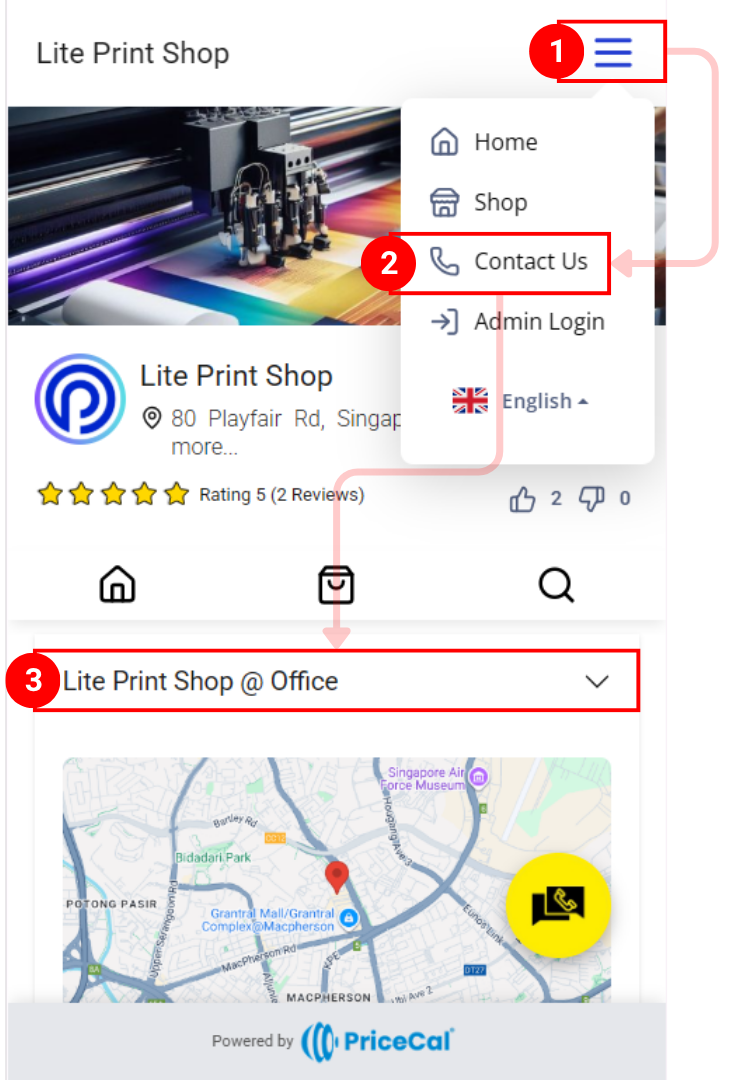
Contact Details are your business location and operational information displayed on your Printalogue storefront. This section provides customers with essential information about where you’re located, how to reach you, and when you’re available—building trust and making it easy for customers to visit or contact your physical shop.
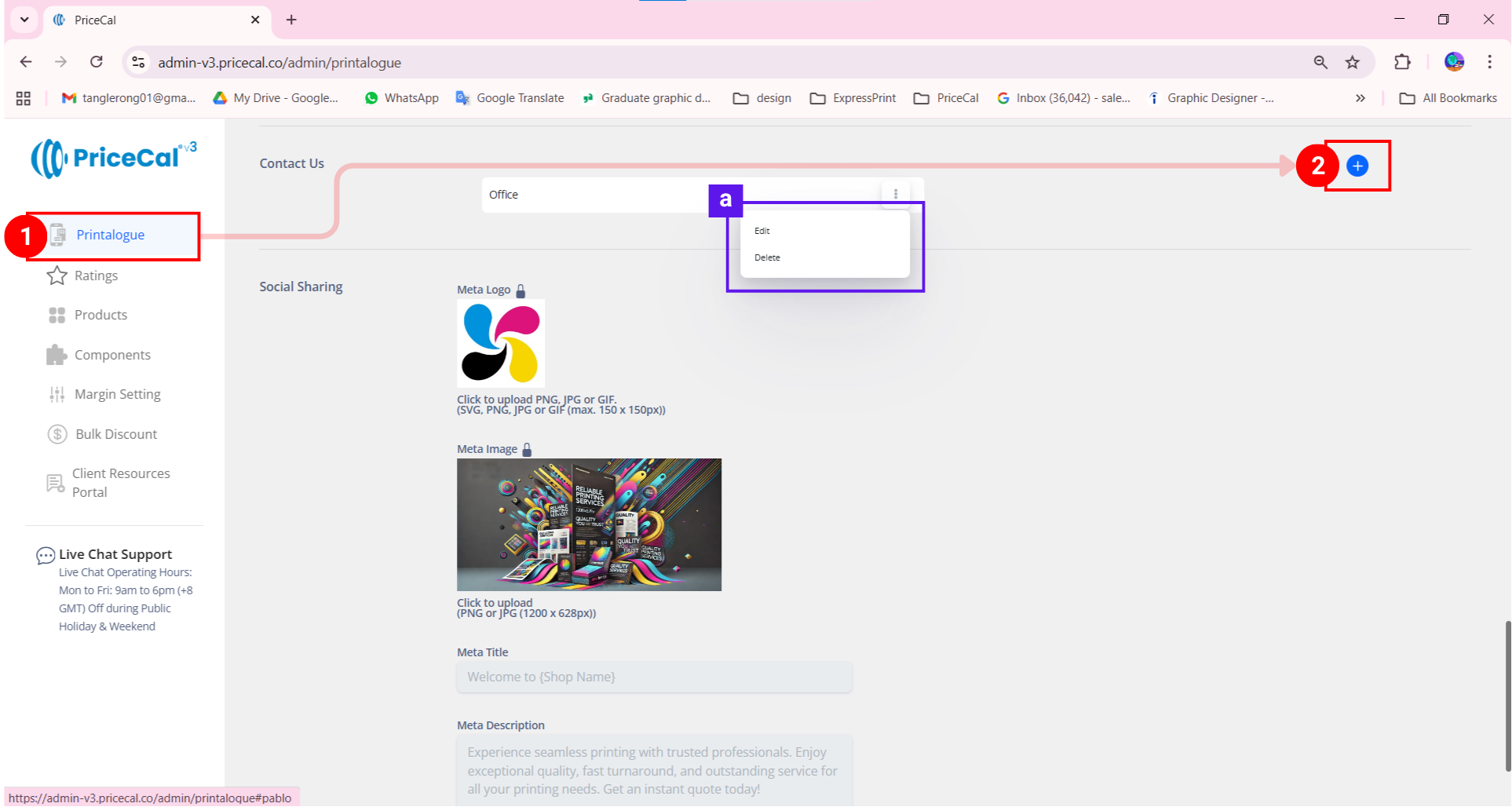
- Go to Printalogue tab
- Add contact inform
(Note [a]: click “Edit” to edit the curent contact information)
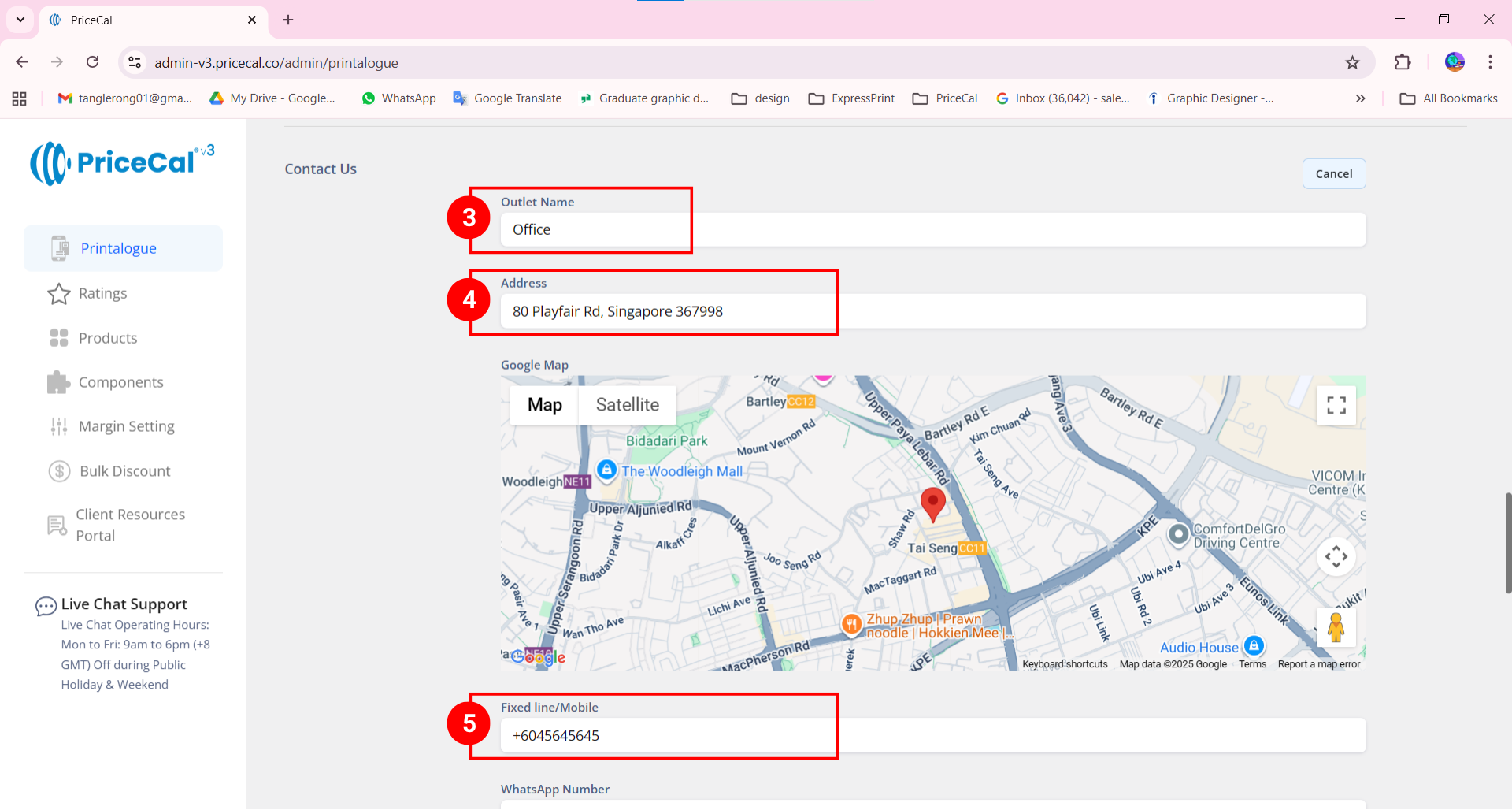
- Enter your outlet name (example, the region name or branch name…etc)
- Enter and Select your address
- Enter the Fixed line / Mobile number (calling)
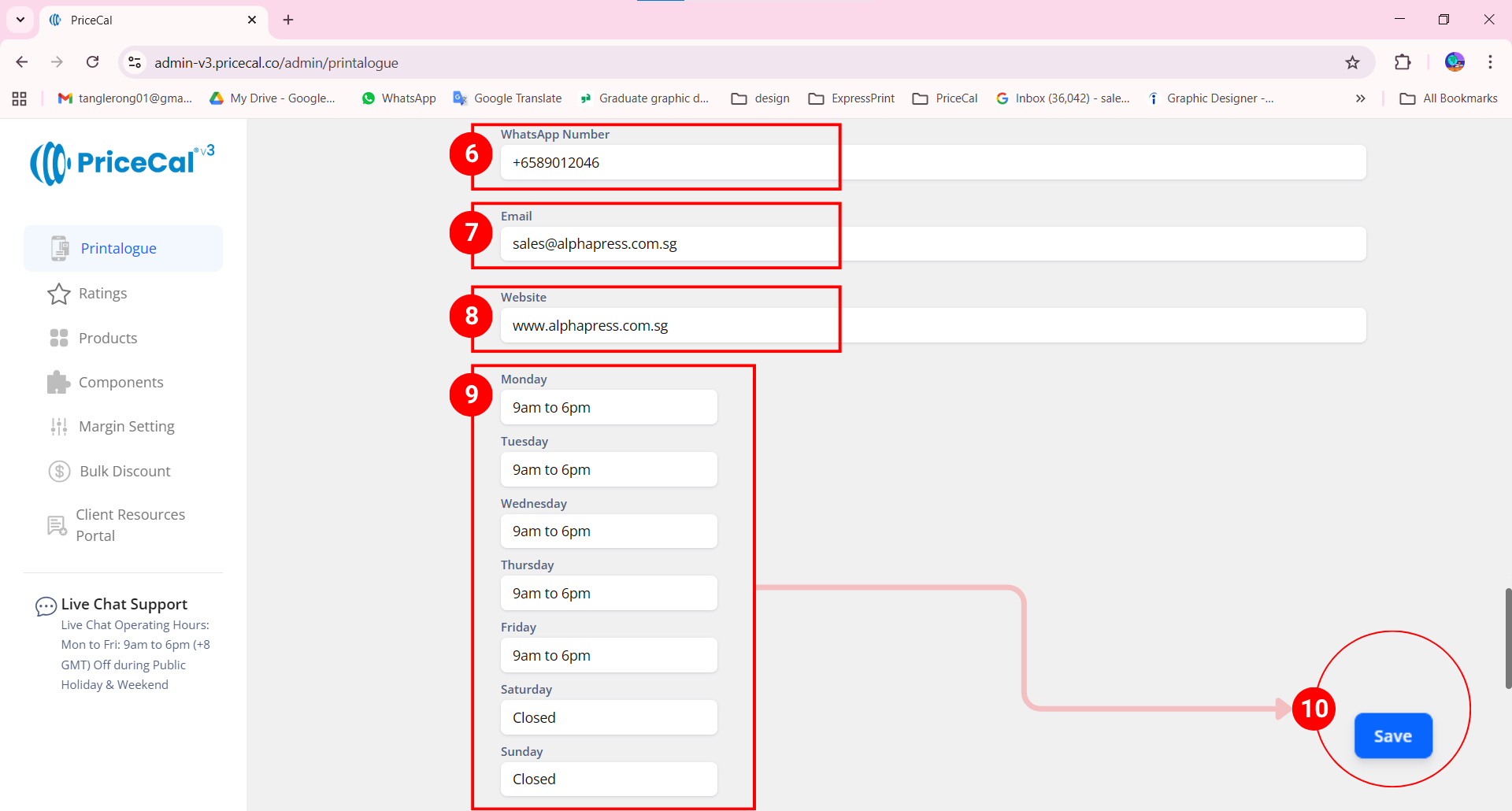
- Enter your Whatsapp number
- Enter your business email
- Enter your website link. You can also enter your Printalogue link if you don’t have a website yet.
- Enter your operation hours.
- Click “Save Change”
Printalogue View
- Go to More Action
- Click “Contact Us”
- Select and open the “Location” tab.