
🎨 Setting Up Artwork Service
In the printing business, not every customer provides ready-to-print artwork.
To help your team manage artwork-related charges easily, PriceCal allows you to add Artwork Services — such as design, editing, or digital proof — as selectable add-on options during ordering.
🔹 What Is the Artwork Service Component?
The Artwork Service Component defines optional (or mandatory) service fees related to artwork preparation.
These can include tasks such as:
-
Checking and adjusting customer files (proofing)
-
Making small edits to existing designs
-
Creating new artwork or layouts from scratch
💡 Each service is charged as a fixed fee per order, ensuring accurate cost control.
🧭 Navigating to Artwork Service Setup
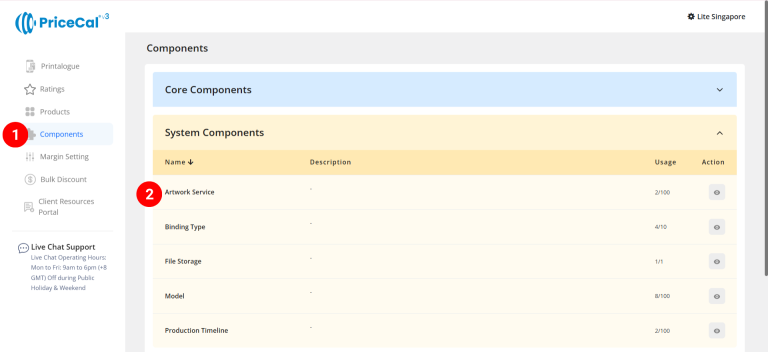
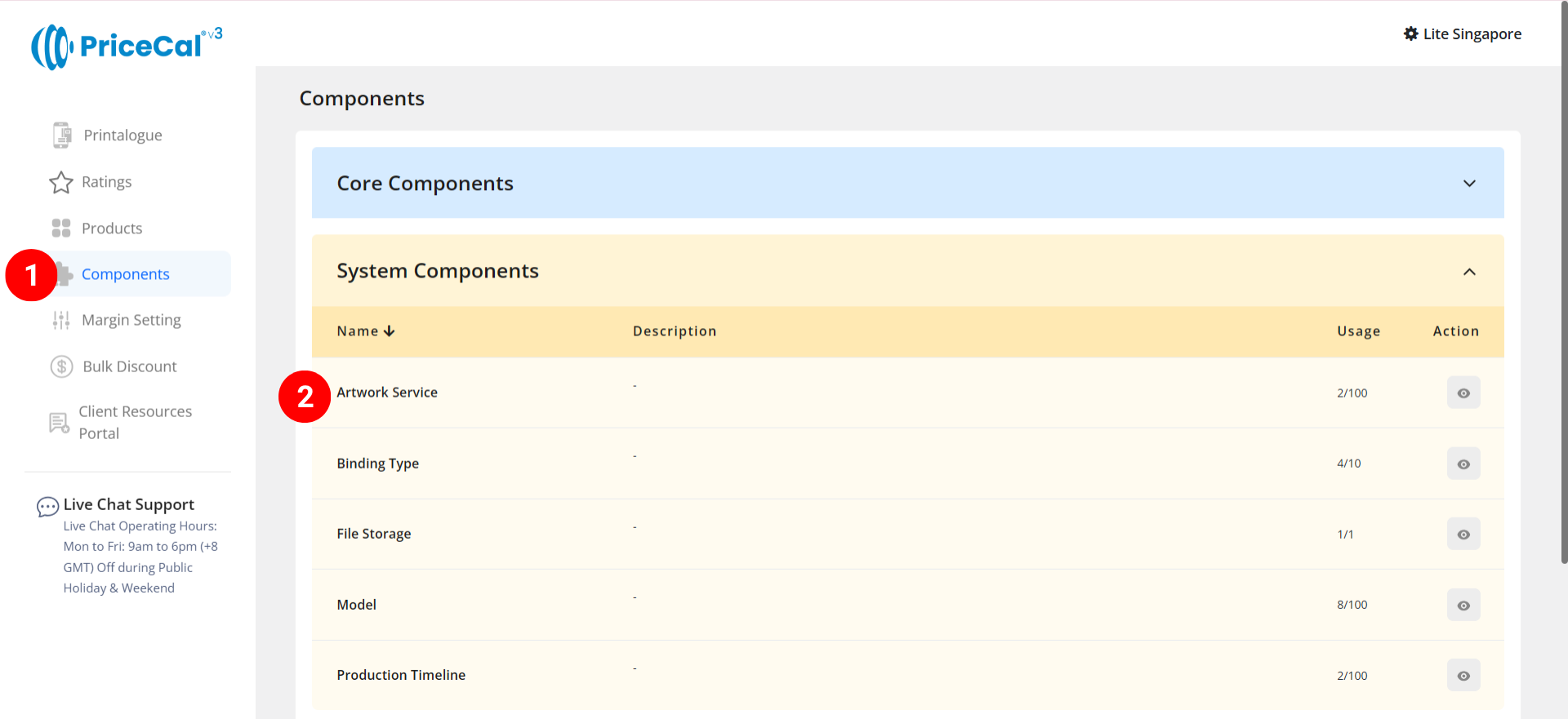
- Go to Component dashboard
- Click Artwork Service category
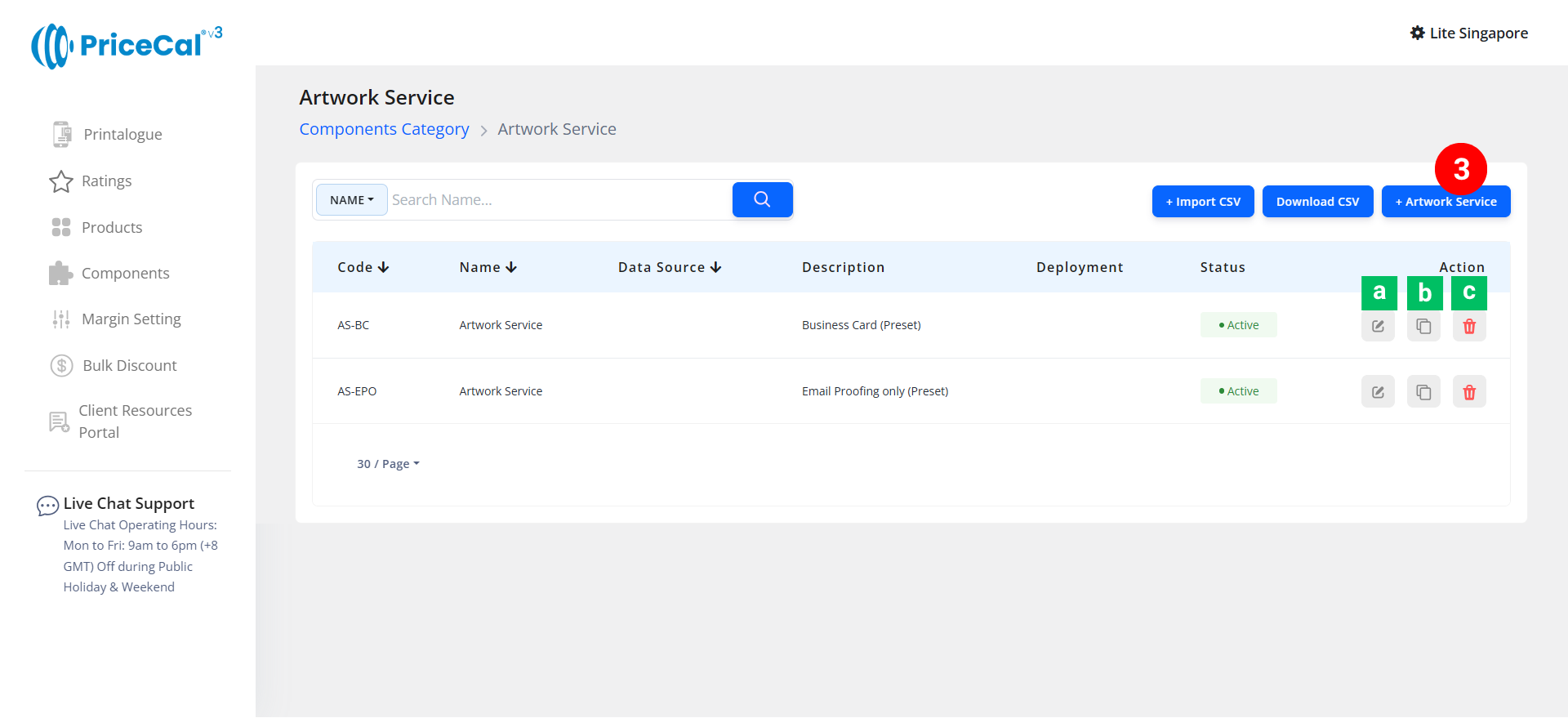
- Add Artwork Service
Edit [a]: modify existing components.
Duplicate [b]: clone a component setup to reuse and create new.
Delete [c]: remove unused component.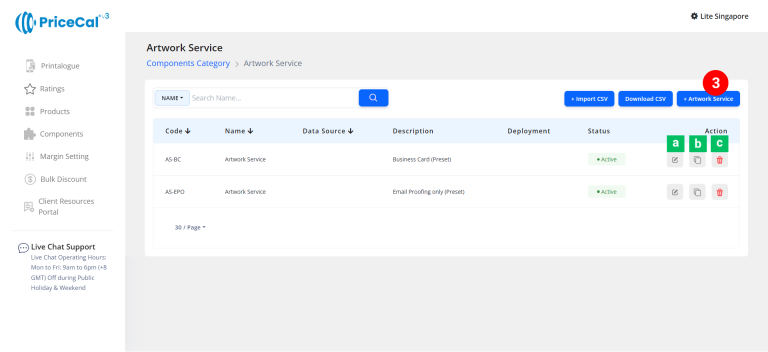
🧱 Create an Artwork Service Component
Step-by-Step
-
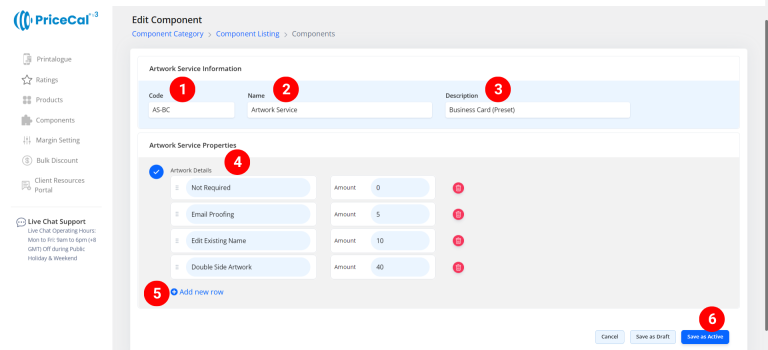
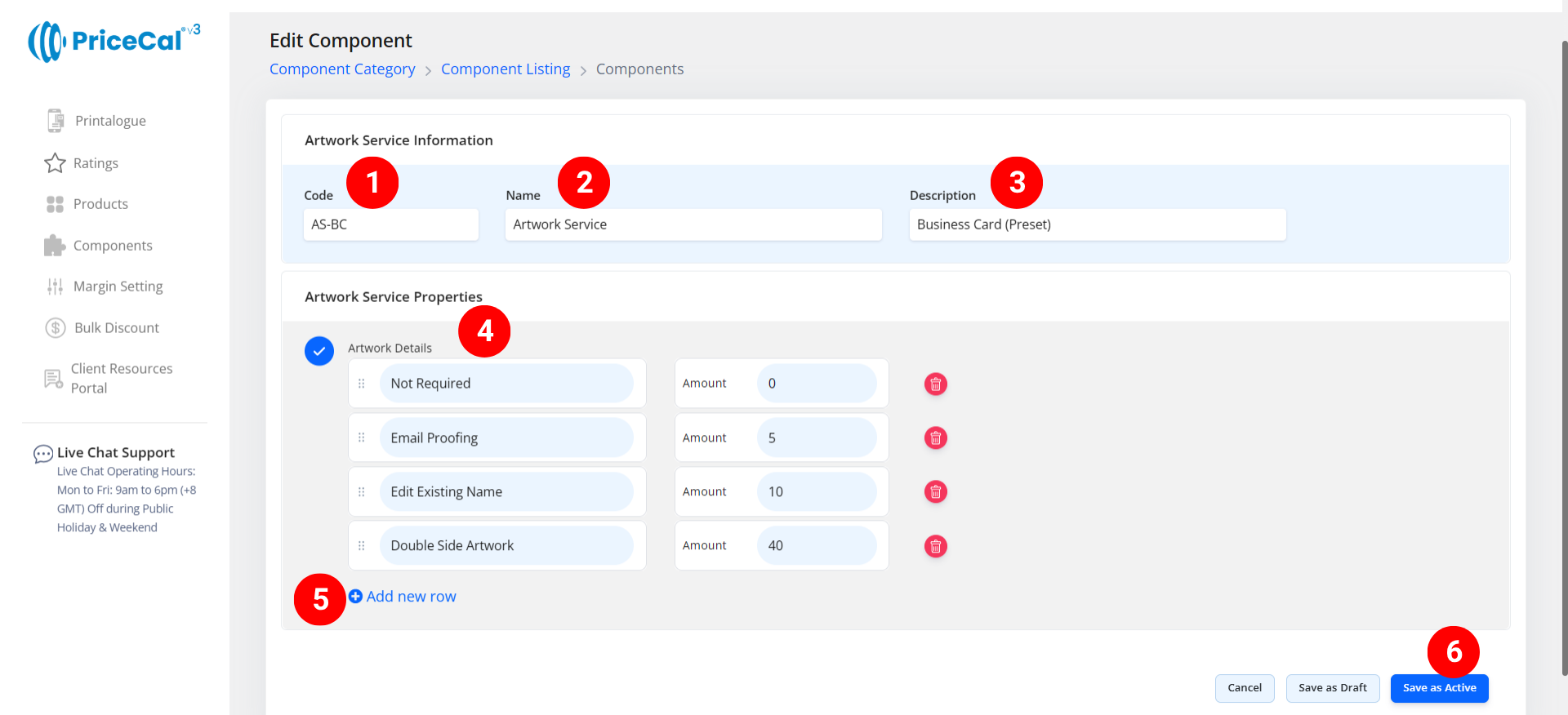
Put a unique code (up to 8 units)
-
Enter the component name. e.g. Artwork Service
-
Enter the component description. (💡 Tips: Add a short note describing what services applies to this component. Example:
“Proof/Edit/Design”) -
Enter the artwork service you offer
– Service Name: enter your service name. i.e. Digital proof, Edit existing name, Design service.
– Amount: A fixed fee per order (this cost does not change based on product price or profit margin)
💡 Tips:If this is not a mandatory option, remember to add one option called “Not Required”. This allows customers to proceed without selecting an artwork service. -
If you offer multiple artwork-related options, click “Add New Line” to add more.
-
Click “Save as Active” to save your service setup.
⚙️ How PriceCal Uses Artwork Services
When customers reach the checkout or order page:
-
They see a dropdown or selection list of available artwork services.
-
They choose one option (or “Not Required”).
-
The selected service fee is automatically added to their total order cost.
-
The admin can also adjust or track which service was chosen per order.
✅ This ensures a smooth and transparent process for both the customer and your production team.
🎯 Why This Setup Is Important
Setting up Artwork Services helps your printing business:
-
✅ Offer structured, optional design and artwork services
-
✅ Avoid miscommunication about file handling fees
-
✅ Improve workflow efficiency by tracking which service was chosen
-
✅ Increase revenue through value-added services
Together with Printing Cost, Material, and Quantity, the Artwork Service component completes your customer workflow by covering the prepress stage of print production.
✅ Next: Combine with Order Workflow
Once your Artwork Service component is active:
-
Link it to relevant products in your product
-
Test the customer flow by selecting artwork options and checking that fees are added correctly
-
Verify that “Not Required” option lets customers proceed smoothly